Category: Video Editing

  • The 6 Best NAS for Video Editing in 2024 (Network Attached Storage)

    The 6 Best NAS for Video Editing in 2024 (Network Attached Storage)

    One thing that most creative workers face is the shortage of storage. Extensive video and graphics needed for VFX and video editing take up terabytes and even petabytes worth of storage space, and this presents challenges.

    In particular, this challenge is with shareable storage.  Making those terabytes of data shareable can be a bit of a pain to share if you don’t have the right components for it.

    Even professional video editors usually face similar difficulties. For instance, accessing data in and outside the office often proves to be a daunting challenge. However, the advent of advanced computer networking and technological devices has improved our data management abilities. For instance, the best NAS (Network Attached Storage) is an excellent place to start.

    Without further ado, let’s dive into our top picks for the Best NAS for your video editing needs:

    Our Recommendations


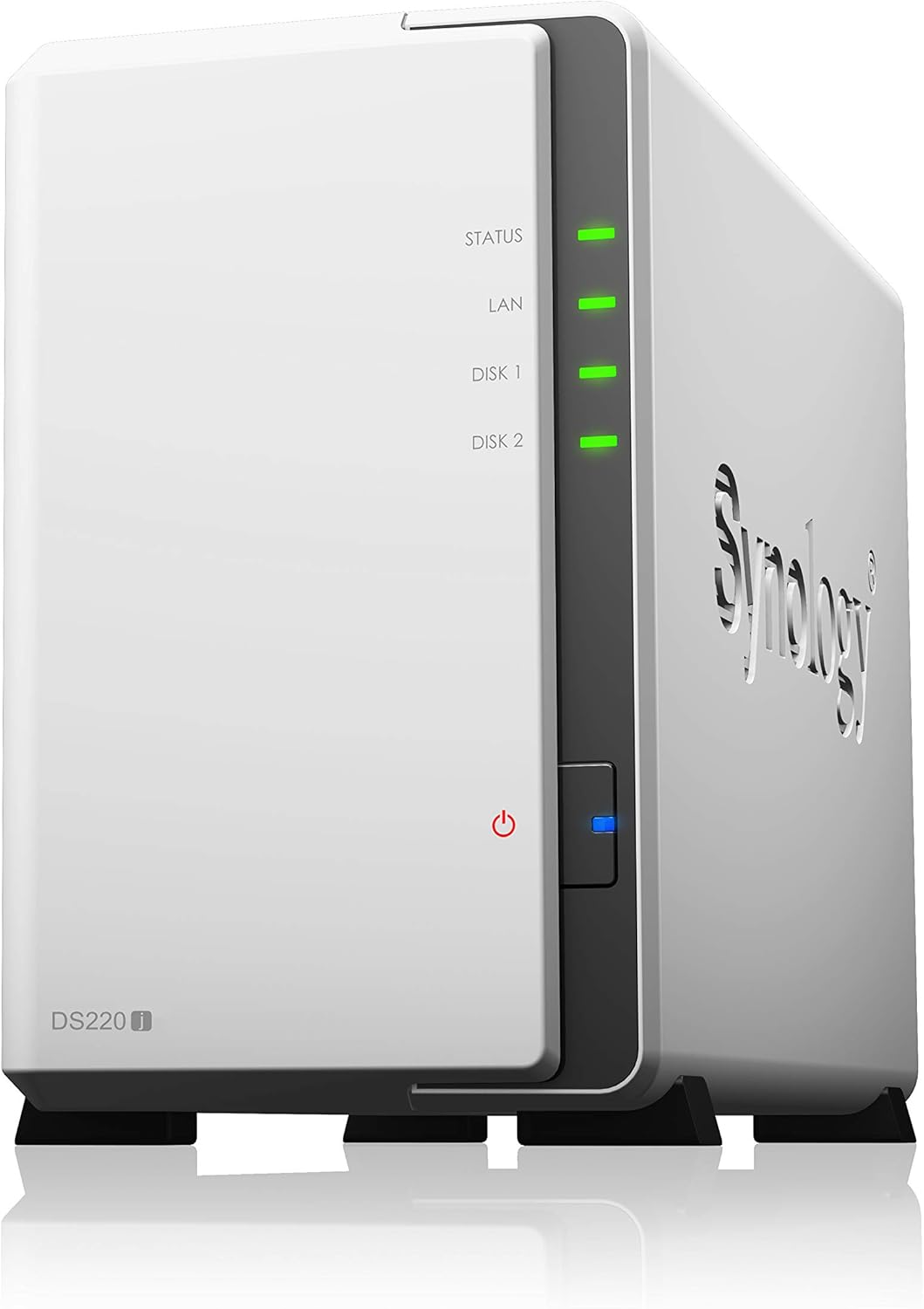
    1. Synology DS220j

    [su_button url=”https://www.amazon.com/Synology-DiskStation-DS220j-Diskless-2-bay/dp/B0855LMP81/?tag=vfxpro-20″ background=”#ef2d38″ size=”6″ center=”yes” radius=”round” onclick=”trackOutboundLink(‘amazon’); clicky.goal( ‘119507’, null, 1 ); clicky.pause( 500 );” rel=”nofollow” target=”blank”]View Prices![/su_button]

    Any video editor will tell you that fast data storage is an element that cannot be compromised. When it comes to video editing, there isn’t better value for money options than the Synology DS220j.

    Why This NAS? For the features of course. This NAS lets you have your own private cloud. This award-winning DSM brings intuitive operation flow making it simple and easy to use. It also has an integrated media server that supports multimedia content streaming.

    How good is it in terms of the numbers? The numbers are cracking in pretty well. You get up to 32TB of storage! That’s a lot! It also has over 112 MBPS encrypted reading and writing speed. Thus, it’s one of our best performing NAS on this list.

    You can access or share your data from anywhere through the Windows macOS and Linux computers or mobile devices. It also has a feature called the bulletproof backup which saves all of your data so that you can restore them if any accidents occur.

    Though the drives aren’t included and you’ll only get one LAN port, we still found this NAS to be a tad bit above the rest. And the people agree with that too as it’s the best Selling NAS on Amazon.

    Pros

    • Has an award-winning DSM.
    • The intuitive operation flow makes it simple and easy to use.
    • The Integrated media server supports multimedia content streaming.
    • Up to 32TB of storage.
    • It has over 112 MBps encrypted reading and writing speed 
    • Provides the ability to access or share your data from anywhere
    • Compatible with Windows macOS, Linux computers, and mobile devices.
    • The bulletproof backup saves all of your data so that you can restore them if any accidents occur.

    Cons

    • Drives are not included.
    • Only one LAN port.

    [su_button url=”https://www.amazon.com/Synology-DiskStation-DS220j-Diskless-2-bay/dp/B0855LMP81/?tag=vfxpro-20″ background=”#ef2d38″ size=”6″ center=”yes” radius=”round” onclick=”trackOutboundLink(‘amazon’); clicky.goal( ‘119507’, null, 1 ); clicky.pause( 500 );” rel=”nofollow” target=”blank”]View Prices![/su_button]

    2. BUFFALO TeraStation

    [su_button url=”https://www.amazon.com/dp/B01N5BX68A/?tag=vfxpro-20″ background=”#ef2d38″ size=”6″ center=”yes” radius=”round” onclick=”trackOutboundLink(‘amazon’); clicky.goal( ‘119507’, null, 1 ); clicky.pause( 500 );” rel=”nofollow” target=”blank”]View Prices![/su_button]

    If I had to pick a NAS based on its looks, I would’ve gone for the Buffalo Terastation. On top of looking great, this NAS also has a mind-boggling performance unit. I like this one so much that I wouldn’t hesitate to name this as my personal favorite NAS of the bunch.

    The Buffalo TeraStation is quite easy to use. It comes with a Pre-tested NAS-grade hard drive. As it’s RAID pre-configured, it’ll save you both time and money. It’s also compatible with Dropbox, Dropbox Business, Amazon S3, and Microsoft Azure.

    The Buffalo Terastation treats its users and their data with the most security possible. That’s why you’ll find yourself a Hybrid Cloud and Private Cloud backup option. It also has an iSCSI backup target and Rsync Backup enabled. This NAS offers even more value with the bundled NovaBACKUP business-level PC backup software.

    The Buffalo Terastation Works with Buffalo remote monitoring software and other 3rd party software. You can also access this software from anywhere and with any software. This software has up to 16TB of data storage.

    Though it has random heating issues, we can’t think of a better industry-grade NAS than this one. You should go for it.

    Pros

    • It comes with a pre-tested NAS-grade hard drive.
    • As it’s RAID pre-configured, it’ll save you both time and money.
    • Compatible with Dropbox, Dropbox Business, Amazon S3, and Microsoft Azure.
    • Top-tier Hybrid Cloud and Private Cloud backup.
    •  iSCSI backup target and Rsync Backup enabled. 
    • NovaBACKUP business-level PC backup software is included with the bundle.
    • Supports Buffalo remote monitoring software and other 3rd party software.
    • Up to 16TB storage.

    Cons

    • Can overheat at times.

    [su_button url=”https://www.amazon.com/dp/B01N5BX68A/?tag=vfxpro-20″ background=”#ef2d38″ size=”6″ center=”yes” radius=”round” onclick=”trackOutboundLink(‘amazon’); clicky.goal( ‘119507’, null, 1 ); clicky.pause( 500 );” rel=”nofollow” target=”blank”]View Prices![/su_button]

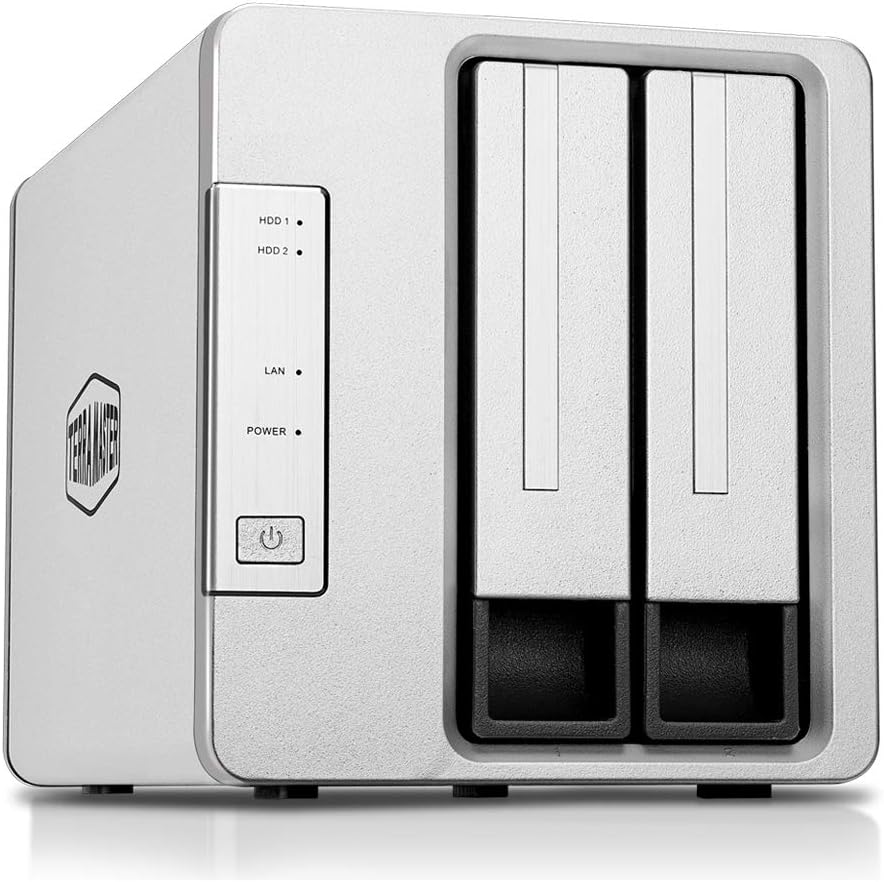
    3. TerraMaster F2-221
    [su_button url=”https://www.amazon.com/TerraMaster-F2-221-Storage-Network-Diskless/dp/B07JHJHBDH/?tag=vfxpro-20″ background=”#ef2d38″ size=”6″ center=”yes” radius=”round” onclick=”trackOutboundLink(‘amazon’); clicky.goal( ‘119507’, null, 1 ); clicky.pause( 500 );” rel=”nofollow” target=”blank”]View Prices![/su_button]

    If you’re looking for a NAS for light use but want good components then the TerraMaster F2-221 would be a perfect choice. This NAS has good components and even better performance. And it can be of excellent value to the right person.

    The TerraMaster has some pretty strong hardware on the inside. It comes with Intel Apollo J3355 2.0GHz dual-core CPU and 2GB RAM. The RAM is upgradeable as you can expand it up to 4GB. The read/write speed is exceptional too as you’ll get up to 200 MB/s reading and 190 MB/s writing speed.

    The TerraMaster F2-221 has some seriously strong protection for the user’s data. It features an AES hardware encryption engine. This engine encrypts shared folders and network data transmission. So rest assured your data won’t have any access.

    The TerraMaster is great for video editors as it supports up to 4K streaming. It also has an aluminum-alloy shell and intelligent temperature control ultra-quiet fan that keeps the NAS cool and durable at all times. It also creates savepoints for all of your data so you can roll back to a previous savepoint if any accidents occur.

    Though the recommended HDDs are a bit pricey, this is one of the best NAS for casual/low usage. It’s cheap, fast, and reliable and when you’re getting all these at one place there isn’t much to nitpick about.

    Pros

    • A strong performance unit containing Intel Apollo J3355 2.0GHz dual-core CPU and 2GB RAM.
    • RAM is upgradeable up to 4GB.
    • Exceptional 200 MB/s reading and 190 MB/s writing speed.
    • The AES hardware encryption engine encrypts shared folders and network data transmission for safety.
    • Supports up to 4K streaming.
    • The aluminum-alloy shell and intelligent temperature control ultra-quiet fan keeps the NAS cool and durable at all times.
    • It creates savepoints for all of your data so you can roll back to a previous savepoint if any accidents occur.
    • Cheap fast and reliable.

    Cons

    • Recommended HDDs are a bit pricey.

    [su_button url=”https://www.amazon.com/TerraMaster-F2-221-Storage-Network-Diskless/dp/B07JHJHBDH/?tag=vfxpro-20″ background=”#ef2d38″ size=”6″ center=”yes” radius=”round” onclick=”trackOutboundLink(‘amazon’); clicky.goal( ‘119507’, null, 1 ); clicky.pause( 500 );” rel=”nofollow” target=”blank”]View Prices![/su_button]

    4. QNAP 4-Bay Professional NAS

    [su_slider source=”media: 242,243,244,245,246″ link=”lightbox” width=”800″ height=”400″ mousewheel=”no” autoplay=”0″ speed=”0″]

    [su_button url=”https://www.amazon.com/TS-453Be-2G-US-Professional-Quad-core-Hardware-Encryption/dp/B07BB7NR2H/ref=sr_1_22?keywords=best+nas&qid=1553318744&s=gateway&sr=8-22&tag=vfxpro-20&linkId=ae265a5663375a78deb05cda4fdf0b5c&language=en_US” background=”#ef2d38″ size=”6″ center=”yes” radius=”round” onclick=”trackOutboundLink(‘amazon’); clicky.goal( ‘119507’, null, 1 ); clicky.pause( 500 );” rel=”nofollow” target=”blank”]View Prices![/su_button]

    Invest in the [link url=”https://www.amazon.com/TS-453Be-2G-US-Professional-Quad-core-Hardware-Encryption/dp/B07BB7NR2H/ref=sr_1_22?keywords=best+nas&qid=1553318744&s=gateway&sr=8-22&tag=vfxpro-20&linkId=ae265a5663375a78deb05cda4fdf0b5c&language=en_US”]QNAP TS-453Be-2G J3455 Hardware NAS[/link] as the perfect solution for your computing needs. File management is an important aspect of your business, and the QNAP helps you realize this goal in many ways. 

    The Qnap 4-Bay has a pretty strong performance unit. It comes with an Intel Celeron J3455 quad-core (Up to 2.3GHz) and 4GB DDR3L RAM. It also has a pretty low power consumption rate so it won’t cost you a fortune to run this NAS.

    The Qnap 4-Bay is ideal for your home and office. It comes with a special PCIe slot that improves functionality. More so, the TS-453Be-2G J3455 can also double up as a contemporary multimedia service with a dual channel. 

    The device offers a smooth media viewing experience on almost any type of device. To protect your data from damage, the QNAP keeps a snapshot of the storage at a specific point in time. As such, the users can roll back their data in the likelihood of a malicious attack.

    Users can also realize optimal performance with the unique PCIe slot. The unique slot moves the most frequently used data to the high-performance SSDs on a specific schedule. Taking things to the next level, the QNAP is compatible with various types of devices. Some of them include AppleTV, DLNA, Firestick, and more. 

    Furthermore, several productivity tools are available on the hard drive to enhance efficiency for creative professionals. Similar to all the high-end NAS resources, this unit has unique file management and storage protocol. Through this approach, the NAS ensures that all your data is safe from issues such as malicious hacking.

    You can also leverage the benefits of hardware transcoding to store your content on the fly. The drive helps to keep your data safe with advanced computer security resources. These include

    AES-256 bit encryption, access control, and protocol access control.

    Though setting up this NAS is a bit of a hassle in itself, it isn’t a deal-breaker and you can pick this NAS up any moment you want. You won’t regret it.

    Pros

    • A strong processing unit of Intel Celeron J3455 quad-core (Up to 2.3GHz) and 4GB DDR3L RAM.
    • Smooth media viewing experience across all of your devices.
    • The Qnap 4-bay keeps track of the users’ data. So if any problem occurs they can roll back to the last backup point.
    • The high-performance SSD offers fast Storage read/write speed.
    • QNAP is compatible with various types of devices including AppleTV, DLNA, Firestick.
    • The unique Aes-ni encryption method ensures that your data is safe from issues such as malicious hacking.
    • Access control, and protocol access control.is available on the fly.

    Cons

    • Hard to set up.

    [su_button url=”https://www.amazon.com/TS-453Be-2G-US-Professional-Quad-core-Hardware-Encryption/dp/B07BB7NR2H/ref=sr_1_22?keywords=best+nas&qid=1553318744&s=gateway&sr=8-22&tag=vfxpro-20&linkId=ae265a5663375a78deb05cda4fdf0b5c&language=en_US” background=”#ef2d38″ size=”6″ center=”yes” radius=”round” onclick=”trackOutboundLink(‘amazon’); clicky.goal( ‘119507’, null, 1 ); clicky.pause( 500 );” rel=”nofollow” target=”blank”]View Prices![/su_button]

    5. ASUSTOR AS1002T

    [su_slider source=”media: 250,248,249,251,247″ link=”lightbox” width=”800″ height=”400″ mousewheel=”no” autoplay=”0″ speed=”0″]

    [su_button url=”https://www.amazon.com/ASUSTOR-AS1002T-2-Bay-Personal-Cloud/dp/B014YN6IK4?tag=vfxpro-20″ background=”#ef2d38″ size=”6″ center=”yes” radius=”round” onclick=”trackOutboundLink(‘amazon’); clicky.goal( ‘119507’, null, 1 ); clicky.pause( 500 );” rel=”nofollow” target=”blank”]View Prices![/su_button]

    Being a productive professional relates to the quality of your work regimen. But The budget can be a bit problematic at times. And for someone on a budget, the[link url=”https://www.amazon.com/TS-453Be-2G-US-Professional-Quad-core-Hardware-Encryption/dp/B07BB7NR2H/ref=sr_1_22?keywords=best+nas&qid=1553318744&s=gateway&sr=8-22&tag=vfxpro-20&linkId=ae265a5663375a78deb05cda4fdf0b5c&language=en_US”]ASUSTOR AS1002T 2 Bay Personal Cloud storage[/link] is the ideal solution.

    It comes with a 1GHz dual-core CPU that provides hardware encryption benefits. Besides that, the inbuilt CPU floating-point makes processing large amounts of data fast and easy. As such, you can instantly transfer photos and video content conveniently. 

    For video editors, the drive supports 4k media playback and online transcoding. The drive also does well to snapshot and record the system status.

    If you accidentally delete or modify the files, you can restore them to the computer with ease. More so, the rich variety of multimedia applications makes it simple to stream high-definition entertainment content. It allows you to stream to devices such as web browsers on computers, tablets, smartphones, and more. 

    Designed to provide ultra-quiet and energy-efficient operation, the Cloud NAS is ideal for your video editing needs. It also works well with most types of devices and requires no additional software to operate.

    Equipped with Windows, Mac, and Linux cross-platform sharing, the hard drive is ideal for centralized data storage. For improved file management, the NAS is equipped with several unique software. This way, you can access the NAS and manage files conveniently. Other unique features include the inbuilt speaker and the line-out port for optimal user convenience.

    Though this Nas doesn’t provide HDMI support, it’s still one of the better choices to go for. But for durability and performance, I’d recommend you look at the upper part of this list.

    Pros

    • A strong 1GHz dual-core CPU.
    • The inbuilt CPU floating-point makes processing large amounts of data fast and easy.
    • Instantly transfers photos and video content.
    • Creates a backup point so that you can restore deleted or modified files.
    • It can stream to devices such as web browsers on computers, tablets, smartphones, and more. 
    • Supports cross-platform sharing.
    • Comes with an in-built speaker.

    Cons

    • No HDMI port.
    • Not as durable or performs as some other NAS on this list.

    [su_button url=”https://www.amazon.com/ASUSTOR-AS1002T-2-Bay-Personal-Cloud/dp/B014YN6IK4?tag=vfxpro-20″ background=”#ef2d38″ size=”6″ center=”yes” radius=”round” onclick=”trackOutboundLink(‘amazon’); clicky.goal( ‘119507’, null, 1 ); clicky.pause( 500 );” rel=”nofollow” target=”blank”]View Prices![/su_button]

    6. NETGEAR ReadyNAS

    [su_slider source=”media: 253,254,255,252″ link=”lightbox” width=”800″ height=”400″ mousewheel=”no” autoplay=”0″ speed=”0″]

    [su_button url=”https://www.amazon.com/NETGEAR-ReadyNAS-Diskless-Performance-Processor/dp/B01N4FXY9I/ref=sr_1_14?keywords=best+nas&qid=1553318681&s=gateway&sr=8-14&tag=vfxpro-20&linkId=ae265a5663375a78deb05cda4fdf0b5c&language=en_US” background=”#ef2d38″ size=”6″ center=”yes” radius=”round” onclick=”trackOutboundLink(‘amazon’); clicky.goal( ‘119507’, null, 1 ); clicky.pause( 500 );” rel=”nofollow” target=”blank”]View Prices![/su_button]

    If you are looking to achieve a competitive edge over other video editors, then owning a good NAS might be the best place to start. Discover the excellence of the [link url=”https://www.amazon.com/NETGEAR-ReadyNAS-Diskless-Performance-Processor/dp/B01N4FXY9I/ref=sr_1_14?keywords=best+nas&qid=1553318681&s=gateway&sr=8-14&tag=vfxpro-20&linkId=ae265a5663375a78deb05cda4fdf0b5c&language=en_US”]Netgear NAS (RN42200)[/link] that lets you achieve 2x faster business application processing. 

    As we mentioned already, the NetGear Ready Nas has 2x faster business application processing. The higher processing happens because of the latest 64-bit technology. It has two versions, the diskless and the regular version.

    The regular version has 4TB storage whereas the diskless version has 20TB storage. This NAS is perfect for businesses with large file storage requirements. The storages are quality checked by the network experts. The Netgear NAS features a cloud backup to Amazon AWS, Google Drive, Dropbox.

    The security and backup of this NAS is top of the LIne as it has the most effective on-premises data backup solutions. It’s easiest to take care of too and doesn’t require anything extra. You can also collaborate better with the other users as it offers easy & secure access to your data from anywhere.

    Though it doesn’t feature SSD cache support, its other top-tier features are enough for you to pick this NAS. 

    Pros

    • The NetGear Ready Nas has 2x faster business application processing. 
    • The latest 64-bit technology increases its read/write speed.
    • Comes in two versions.
    • Up to 20TB storage options.
    • Perfect for businesses with large file storage requirements.
    • The storages are quality checked by the network experts
    • It offers easy & secure access to your data from anywhere.
    • The Netgear NAS features a cloud backup to Amazon AWS, Google Drive, Dropbox.

    Cons

    • No SSD cache support.

    [su_button url=”https://www.amazon.com/NETGEAR-ReadyNAS-Diskless-Performance-Processor/dp/B01N4FXY9I/ref=sr_1_14?keywords=best+nas&qid=1553318681&s=gateway&sr=8-14&tag=vfxpro-20&linkId=ae265a5663375a78deb05cda4fdf0b5c&language=en_US” background=”#ef2d38″ size=”6″ center=”yes” radius=”round” onclick=”trackOutboundLink(‘amazon’); clicky.goal( ‘119507’, null, 1 ); clicky.pause( 500 );” rel=”nofollow” target=”blank”]View Prices![/su_button]

    Conclusion

    Investing in a good NAS can be a reasonable investment if you want to enjoy convenient data storage and management. As a video editor, such a resource can prove to be an excellent addition to your team.

    It allows everyone to access the company files conveniently and ensures that all the files are safely uploaded to the cloud. In essence, the NAS provides a convenient way for you to access a host of useful resources that are necessary for a video editing company. 

    You and the team can gain access to company files conveniently, and with high-quality safety protocols. Take your business to the next level with a good NAS for improved data and file management.


  • What is a VFX Artist and What Do They Do?

    You might have watched the latest “Dune” film, or perhaps “Venom: Let there be Carnage.” At the core of the film’s extraordinary graphics lie the VFX and CGI. VFX artists usually deal with such visual effects. They design and create digitally-generated imagery to further enhance the film’s attractiveness.

    VFX artists use the latest technology and art to produce computer-generated creatures, crowds, and stunt doubles. Their work lies in the creation of an entire sci-fi civilization. They are also responsible for digital particle effects, which include fluid and fire and object and lighting manipulation.

    What is VFX?

    VFX or visual effects are the art of combining computer-generated imagery (CGI) with living motion footage. The footage is then used to create scenes that wouldn’t otherwise be possible. They are also added to video clips for creativity or correction purposes.

    Nowadays, almost every type of film or TV production uses VFX to enhance its presentation quality. Artists who work with VFX are involved with working on a combination of creative and technical skill sets and strong artistic talent.

    What does a VFX artist do?

    VFX artists use their creativity and artistic talents to create Computer Generated Imagery (CGI). VFX artists can be further broken down into two types.

    VFX specialists: These artists include artists specializing in certain animation or CGI topics, like 3D modeling or mapping. They work together with several other specialists in a large studio to complete a common project.

    VFX generalist: Generalists are solo artists who know almost everything related to the subject. Essentially they are the jack of all trades but master of none. They are often responsible for producing every element of a VFX shot from start to finish all by themselves from their home or personal studio.

    Types of VFX artists

    VFX artistry has a high demand in the entertainment industry, from movies and animations to games. They are professionals when it comes to both 2D and 3D figures. When working as an expert, VFX artists have many important titles with a range of roles. Some of the more popular lines of VFX artists are:

    • Compositing artist
    • Effects Technical Director (TD)
    • FX animator
    • multimedia artist
    • VFX artist
    • VFX supervisor.

    VFX artist skills

    VFX artists need to have a good foundation in drawing and proficiency in graphics designing. Aside from that, they also need to acquire skills that will be useful in their career. Most VFX artists are good at:

    • Drawing and sketching in various art styles.
    • Have a good sense of what goes where- what lighting should be used, tone, and other color elements.
    • Understanding of physics and math.
    • Know some basic programming and can use software for content creation
    • Can easily collaborate with other like-minded specialists.
    • Have good time management personal skills to meet deadlines when the schedule is tight.
    • Strong Photoshop editing skills.
    • An eye for small, subtle details.


    Responsibilities of a VFX artist

    Being a VFX artist has its allures and perks. The work they work with is exotic and interesting; however, by no means is it easy. In fact, these artists always have a very busy schedule with deadlines just knocking around the corner.

    Their main task is to help with creating special effects using state-of-the-art software. Every monster, fairy, ogre, space battle, and more imaginary creatures that you see in films are the works of visual effects artists.

    Visual artists need to work hard. It is common for them not to get a blink of sleep when working on a specific project. They are no stranger to strict deadlines and an overworked career in their unhealthy life.

    They need to work with the producer, lead artists, and supervisors to track and manage the workflow through the departments. One of their responsibilities is arranging rounds and meetings, taking notes, and following up on required information as it seems befitting. A lot of communication is involved with a career in VFX.

    Most of all, VFX artists are expected to use top-of-the-line software and effects to create visual effects, get familiar with cameras, light, and microphones while keeping everything within the budget.

    How to become a VFX artist?

    Now that you are well-informed about what these artists work on and their responsibilities, you might as well be interested in becoming one. VFX artist is a very technical role and involves a lot of studies and skills.

    Typically, the route to VFX is though becoming a compositor, concept artist, match mover, or in another area of graphics designing and game art. However, many have worked in a VFX studio for films and TV and directly moved on to the role of a VFX artist.

    Qualifications

    Most VFX artists have very high qualifications. They have mostly studied media, media production, media technology, graphic design, or photography. However, some basic knowledge of physics, math, and computer science are also required.

    Portfolio

    Like all majoring art students, a portfolio is vital when looking for a job. This portfolio will include some of the best work in the topics the artist specializes in.

    Besides building a portfolio, networking and exposing your artwork to the public is a great option to receive a wide range of work choices, as art managers will recruit you.

    Conclusion

    A career in visual effects needs a lot of groundwork and effort. The work itself is, however, very worthwhile and fruitful. VFX first began in the late 1800s. Since then, it has become one of the most mainstream jobs for the young populace. It is also a career choice with a lot of perks and employability.

  • Picking the Best Video Editing Software for Windows (UPDATED 2024)

    Picking the Best Video Editing Software for Windows (UPDATED 2024)

    Video editing has continued to grow in popularity in recent times. Different types of software have also emerged to make it easier for users to edit any videos of their choice. Some of the software work well with Windows while others are more suitable for other operating systems. The good news about all this is some of the software come free. For this reason, you do not always have to spend money on the software of your choice.

    It pays to take your time and do a bit of research on the software, so you do not end up with one that does nothing even if you paid nothing for it. The choice of software depends on several factors; namely, timing, usability, and quality. The choice of video editor depends on your needs too. Why do you need to edit the videos? The answer to this question will determine the type of software you choose.

    Here are a few of the best video editing software for Windows laptops and desktops.

    VirtualDub

    VirtualDub is one of the most powerful software for editing videos. The fact it costs nothing only endears it further to users. It is the ideal software for trimming and trimming videos before exporting or processing to tape or with any other program. What is more, the software offers users various features they can use to edit videos to their tastes and preferences. Some of these features include:

    • Video splitting
    • Compression
    • Adding auto tracks

    Pros

    • Batch-processing capabilities
    • It is the ideal software for any person who is experienced in editing videos
    • It is freely available

    Cons

    • Confuses average users a lot

    Wax

    This high-performance video editing tool is the ideal choice for use at home or in the office. It serves professionals and amateurs equally effectively. It is little wonder that users prefer using it as a stand-alone app. Similarly, others opt to use it as a plug-in tool to complement the work of other video editing tools. With this tool, you are better placed to fill your videos with as many special effects as you desire. This general purpose software has various attractive features and a few drawbacks, as you will see below.

    Pros

    • Easy to use
    • Not as complicated as other special effect suites
    • Powerful enough to meet your requirements for editing and creating videos
    • It is easy to install
    • Supports various formats

    Cons

    • Compared to other video editing software, it is a bit outdated special effect suite
    • It is not readily available for all Operating Systems
    • Has limited capabilities on older Operating Systems

    Premiere Elements 15

    A close look at Premiere Elements 15 will show why it enjoys such high ranking as one of the most effective video editing tools today. It is user-friendly. On top of that, it works across Mac and Windows Operating Systems with minimum fuss. It is full of features and options that make it perfect for amateurs and professionals alike. It allows users to do more than they ever could with other types of tools. As you will notice below, the software has several strengths and weaknesses.

    Pros

    • Makes it easier to organize and categorize videos
    • Effective at editing rough clips and turning them into real movies
    • Ideal software for sharing videos with friends and family
    • Compatible with 64-bit processors

    Cons

    • Not compatible with other processors except 64-bit

    Cyberlink PowerDirector 15 Ultimate

    It is one of the most affordable video editing software on the market today. It contains several premium features that distinguish it from the competition. One of these premium features is the one that enables end-to-end 360-degree video editing. With such a feature, you have all the control you need regarding any detail on the video you wish to edit or leave as is. The tool is suitable for editing sports videos. It also works well with wedding and travel videos. Like everything else, the software has its pros and cons too.

    Pros

    • Perfect software for beginners who wish to learn all the basics of video editing
    • It caters to the needs of advanced and beginner users alike

    Cons

    • It is non-compatible with other operating systems except Windows

    Conclusion

    As shown above, the market is replete with numerous video editing software. This enables you to choose what works well for you. The video editors listed above are the best for Windows OS. Some are unique to Windows only. However, others are available to use across more than one Operating System.

    You may also be interested in our reviews of the best video editing monitors and laptops.

  • The 5 Best Laptops for Video Editing in 2024 (Speed and Efficiency)

    The 5 Best Laptops for Video Editing in 2024 (Speed and Efficiency)

    The best laptop for video editing stands heads and shoulders over any other you may find in the market. Such a laptop requires more horsepower than ordinary laptops. It is worth clarifying one thing though. You can edit videos with just about any laptop, as long as you have the necessary software and skillset. Nevertheless, the best laptops give you more than what you can ever hope to get from ordinary devices. The three main factors to consider in such laptops are high-resolution display, powerful discrete graphics, and fast processors.

    The market is full of various options; hence, the need for choosing well. What works for somebody else may not produce the results you seek. Finding the right laptop can be a tricky affair. Below is a list of some of the best laptops worth using for all your video editing projects.

    #1 MacBook Pro

    Macbook Pro

    [su_button url=”https://www.amazon.com/Apple-Macbook-MJLQ2LL-15-inch-Processor/dp/B00XZGMBVC/?tag=vfxpro-20″ target=”blank” background=”#F24D43″ size=”8″ center=”yes” radius=”20″ onclick=”clicky.goal( ”, null, 1 ); clicky.pause( 500 );” rel=”nofollow”]View Prices![/su_button]

    There is no doubt that the [link url=”https://www.amazon.com/Apple-Macbook-MJLQ2LL-15-inch-Processor/dp/B00XZGMBVC/?tag=vfxpro-20″]15-inch MacBook Pro[/link] is one of the most effective and high-performance laptops for video editing available today. You will struggle finding a more powerful laptop for your video editing needs than this one. The Intel Core i7 processor makes the laptop faster than the competition. The display – and screen – is not only brighter but also more colorful. The Touch Bar adapts to the app you are using at any given moment. The graphics card – Radeon Pro 460 GPU – is one of the most powerful too.

    Pros

    • Lightweight laptop
    • Sharp Retina display
    • Long battery life
    • Faster processor
    • Powerful graphics card
    • Brighter and colorful display
    • Newly featured Force Touch Trackpad

    Cons

    • Only has Thunderbolt 3 ports

    [su_button url=”https://www.amazon.com/Apple-Macbook-MJLQ2LL-15-inch-Processor/dp/B00XZGMBVC/?tag=vfxpro-20″ target=”blank” background=”#F24D43″ size=”8″ center=”yes” radius=”20″ onclick=”clicky.goal( ”, null, 1 ); clicky.pause( 500 );” rel=”nofollow”]View Prices![/su_button]

    #2 Dell XPS 15

    Dell XPS for Video Editing

    [su_button url=”https://www.amazon.com/Dell-XPS9560-7001SLV-PUS-display-Aluminum-Chassis/dp/B01N1Q0M4O/?tag=vfxpro-20″ target=”blank” background=”#F24D43″ size=”8″ center=”yes” radius=”20″ onclick=”clicky.goal( ”, null, 1 ); clicky.pause( 500 );” rel=”nofollow”]View Prices![/su_button]

    Anybody who values excellent display while editing videos should look no further than [link url=”https://www.amazon.com/Dell-XPS9560-7001SLV-PUS-display-Aluminum-Chassis/dp/B01N1Q0M4O/?tag=vfxpro-20″]Dell XPS 15[/link]. The 4K screen and display will leave you mesmerized. With this laptop, you can proceed to edit videos in a stylish manner. Your videos will come out better than anybodys. The seventh generation (7th Gen) i7 Quad Core will ensure that you do your work quickly. This laptop is quite fast and performs exceptionally well exceeding all your expectations. Its Stylus Pen offers you an extra way of using the laptop to edit videos of your choice too.

    Pros

    • Stylish chassis made of both aluminum and carbon-fiber
    • Good battery life
    • Stunning InfinityEdge display and screen
    • Comes with a power adapter (110-220V)
    • Operates on Windows 10
    • Thin and portable

    Cons

    • Operates on Windows 10 Home instead of Windows 10 Pro
    • Webcam is poorly located thus looking up your nose instead of right at your face

    [su_button url=”https://www.amazon.com/Dell-XPS9560-7001SLV-PUS-display-Aluminum-Chassis/dp/B01N1Q0M4O/?tag=vfxpro-20″ target=”blank” background=”#F24D43″ size=”8″ center=”yes” radius=”20″ onclick=”clicky.goal( ”, null, 1 ); clicky.pause( 500 );” rel=”nofollow”]View Prices![/su_button]

    #3 Microsoft Surface Book 2

    Microsoft Surface Book 2

    [su_button url=”https://www.amazon.com/Microsoft-Surface-Book-Intel-256GB/dp/B076J184LM/?tag=vfxpro-20″ target=”blank” background=”#F24D43″ size=”8″ center=”yes” radius=”20″ onclick=”clicky.goal( ”, null, 1 ); clicky.pause( 500 );” rel=”nofollow”]View Prices![/su_button]

    In terms of versatility, no other laptop beats [link url=”https://www.amazon.com/Microsoft-Surface-Book-Intel-256GB/dp/B076J184LM/?tag=vfxpro-20″]Microsoft Surface Book 2[/link]. This 15-inch laptop also doubles as a tablet. The eighth generation (8th Gen) Intel Core i7 processor makes it one of the fastest too. It also boasts of one of the most dynamic displays of all laptops for video editing you can ever buy. Its battery is capable of lasting up to 12 hours without crying out for plugging to power source for a bit of recharging. It comes in two models – 15-inch and 13.5-inch. The laptop makes video editing a fun-filled activity.

    Pros

    • Detachable screen
    • Great Surface Pen experience
    • Long battery life
    • Built for great performance
    • Innovative details
    • Offers the best of the Microsoft world
    • Usable as a laptop or tablet
    • Comes with various accessories that include Surface Pen, Surface Dial, and Surface Precision Mouse

    Cons

    • No Thunderbolt 3 port
    • Too costly

    [su_button url=”https://www.amazon.com/Microsoft-Surface-Book-Intel-256GB/dp/B076J184LM/?tag=vfxpro-20″ target=”blank” background=”#F24D43″ size=”8″ center=”yes” radius=”20″ onclick=”clicky.goal( ”, null, 1 ); clicky.pause( 500 );” rel=”nofollow”]View Prices![/su_button]

    #4 HP ZBook Studio G3

    HP ZBook Laptop for Video Editing

    [su_button url=”https://www.amazon.com/HP-Workstation-V2W06UT-i7-6700HQ-Keyboard/dp/B01B3JE2D2/?tag=vfxpro-20″ target=”blank” background=”#F24D43″ size=”8″ center=”yes” radius=”20″ onclick=”clicky.goal( ”, null, 1 ); clicky.pause( 500 );” rel=”nofollow”]View Prices![/su_button]

    Fewer laptops deserve the title “workstation” more than the [link url=”https://www.amazon.com/HP-Workstation-V2W06UT-i7-6700HQ-Keyboard/dp/B01B3JE2D2/?tag=vfxpro-20″]HP ZBook Studio G3[/link]. HP put in a lot of work to convert this laptop into a beast capable of handling any amount of video editing work without breaking a sweat. It features amazing attributes that place it ahead of the best laptops from the competition. It comes with a pre-installed OS – Windows 7 or 10. The laptop is the type that video editing experts operating on tight budgets should prioritize. It ranks well in three categories; namely, performance, mobility and features.

    Pros

    • Weighs less than 2kg hence qualify to be labelled an Ultrabook
    • Highly portable
    • Provides excellent value for money
    • A perfect workstation
    • Powerful and elegant
    • Xeon CPU
    • Quadro GPU
    • 4K display

    Cons

    • Features fewer online configuration options compared to other laptops
    • Battery should be bigger

    [su_button url=”https://www.amazon.com/HP-Workstation-V2W06UT-i7-6700HQ-Keyboard/dp/B01B3JE2D2/?tag=vfxpro-20″ target=”blank” background=”#F24D43″ size=”8″ center=”yes” radius=”20″ onclick=”clicky.goal( ”, null, 1 ); clicky.pause( 500 );” rel=”nofollow”]View Prices![/su_button]

    #5 Lenovo ThinkPad P70

    Lenovo Thinkpad for Editing

    [su_button url=”https://www.amazon.com/Lenovo-ThinkPad-20ER002KUS-i7-6700HQ-Windows/dp/B0178JBBMG/?tag=vfxpro-20″ target=”blank” background=”#F24D43″ size=”8″ center=”yes” radius=”20″ onclick=”clicky.goal( ”, null, 1 ); clicky.pause( 500 );” rel=”nofollow”]View Prices![/su_button]

    This [link url=”https://www.amazon.com/Lenovo-ThinkPad-20ER002KUS-i7-6700HQ-Windows/dp/B0178JBBMG/?tag=vfxpro-20″]17.3″ Lenovo Thinkpad Pro[/link] laptop offers everything you could ever need in a laptop you use for editing videos. It has various expansion capabilities. It features a massive battery too. It was one of the first ever laptops to feature the revolutionary Intel Skylake Processor. With this processor, the laptop has continuously outperformed devices featuring Haswell or Broadwell chips. It has all the storage space and RAM you need for installing and saving video editing software or work. Its outstanding keyboard makes it easier for you to use the laptop.

    Pros

    • Excellent keyboard
    • Wide array of ports for all your connectivity needs
    • Ample storage
    • Plenty of RAM
    • Superbly designed
    • TrackPoint
    • Available in a much wider 17-inch screen
    • 4 memory modules and 4 storage drives make it one of the easiest models to upgrade
    • Available in LTE modem option
    • Great battery life

    Cons

    • Non-user replaceable battery

    ExpressCard 34

    [su_button url=”https://www.amazon.com/Lenovo-ThinkPad-20ER002KUS-i7-6700HQ-Windows/dp/B0178JBBMG/?tag=vfxpro-20″ target=”blank” background=”#F24D43″ size=”8″ center=”yes” radius=”20″ onclick=”clicky.goal( ”, null, 1 ); clicky.pause( 500 );” rel=”nofollow”]View Prices![/su_button]

    Other Types of Laptops

    If you are interested in more specific types of laptops, we have some drilled down lists here:

    Conclusion

    Based on the information published above, you now are better equipped to go to the nearest offline or online store and order the best laptop for video editing. You are free to choose the costliest in the list above. You simply need to confirm the one you choose is capable of helping you edit videos exceptionally well. Otherwise, your reputation could suffer a dent from which it may be impossible to recover. Shop around and visit as many retailers or manufacturers as possible before settling on the best choice of a laptop for your video editing work.

  • How To Calibrate A Monitor For Video Editing

    How To Calibrate A Monitor For Video Editing

    For video editors, a well-balanced monitor dramatically improves the outcome of the finished product. Monitor calibration ensures that your screen is displaying both gray-scale and color in their true forms, thus producing the best image and video results and minimizing the number of yours you spend working on post-production work. As a video editor, you can calibrate your monitor in one of two ways.

    The first one is that you could opt to take it to a professional, and the second option is that you can do it yourself and save a couple of, hundred dollars.

    Before the calibration process, it is important that you acquaint yourself with the display controls you will be minimizing for calibration and that you are working in a room whose ambient light is moderate and not overwhelming in any way.

    Once you have those two things right, you can start by switching your monitor at least 30 minutes before the process so it can adjust to its usual operating conditions and temperature. Secondly, you will need to ensure that the monitor is in its default resolution settings

    Calibrating Using Inbuilt Tools

    Most monitors for video editing typically have several inbuilt tools designed to help users calibrate their monitors without needing any other external devices or software. The inbuilt tools vary between operating systems, but the general concept is the same.

    Windows typically has a color calibration option while Mac has a Display Calibrator Assistant. Video editors can use these two options to change the settings of their monitor’s white point, gamma, brightness, etc. Once you have selected either one of the two options depending on your operating system, you simply need to follow the instructions from thereon.

    Calibrating Using A Colorimeter Device

    The second method through which you can calibrate your monitor for video editing is by using colorimeter devices such as the “Datacolor Spyder4Elite” or the “Spyder5Express” which work by simply installing the device’s software onto a user’s computer and then placing the colorimeter device on the monitor for it to adjust by itself.

    Unlike the other two methods discussed here, the colorimeter device does not rely on a user’s perception of color, and as such, they offer users the precision required to accurately calibrate the monitor. This device is ideal for video editors who use several screens when working as it provides them with consistency as once can save their ideal settings and apply them on a different screen.

    Calibrating Using Online Apps

    There is a myriad of online apps/tools for undertaking different activities, including monitor calibration. These apps can be used to manually calibrate the monitor’s colors, brightness response time, contrast, and many other settings. The online apps usually have guidelines and test patterns that users can conduct and customize the monitors accordingly.

  • The Best Video Editing Software in 2024

    The Best Video Editing Software in 2024

    Cyberlink Power Director

    [su_slider source=”media: 1786,1787,1788,1789,1790″ link=”lightbox” title=”no” pages=”no” mousewheel=”no” autoplay=”0″ speed=”0″]

    Intro

    Cyberlink has been at the forefront of creating innovative tools and features for video editing. A good example would be when they first pioneered multi-cam functionality for consumer-level video editing software that was only available on programs such as the Final Cut Pro all the Adobe Premium Pro. With a 99-track timeline, CyberLink PowerDirector is an extremely versatile video editing software that can be utilized by both novices and professionals to edit simple, quick videos and even complex projects. To demonstrate just how powerful this software is it is capable of managing feature film edits as its interface is incredibly intuitive and the features extremely advanced yet easy to learn. The possibilities with this software are limitless once you learn how to use it properly.

    Pros

    • The PowerDirector software can be used by anyone regardless of their skill level as it is straightforward to learn and maneuver.
    • The quality of exported videos is nothing but outstanding.
    • The software boasts a host of video editing tools that will take your video to the next level.

    Cons

    • The video editing software is not compatible with iOS systems, and a MAC version of the software is yet to be released.
    • Takes quite a bit of time before individuals can fully master how to use the software.
    • Exporting files directly into the MOV format is impossible.

    [su_button url=”https://www.amazon.com/Cyberlink-PDR-EH00-RPU0-00-PowerDirector-17-Ultra/dp/B07HNF6CL4?keywords=LAPTOPS&qid=1556883841&s=gateway&sr=8-9&tag=vfxpro-20&linkId=ae265a5663375a78deb05cda4fdf0b5c&language=en_US” background=”#ef2d38″ size=”6″ center=”yes” radius=”round” onclick=”trackOutboundLink(‘amazon’); clicky.goal( ‘119507’, null, 1 ); clicky.pause( 500 );” rel=”nofollow” target=”blank”]View Prices![/su_button]

    VideoPad Editor

    [su_slider source=”media: 1791″ link=”lightbox” title=”no” pages=”no” mousewheel=”no” autoplay=”0″ speed=”0″]

    Intro

    Boasting a myriad of tools and features the VideoPad editor is one of the most useful Video editing software that users can consider. From effects and transitions, titles and credits and chroma -key/ green screen this video editing software is capable of making outstanding videos at a lesser price than other advanced video editing software. It typically works in the same manner by utilizing timeline/ storyboard workflows as part of the video editing process. It, however, is not equipped with themes or templates, and therefore, users have to begin the video creations from scratch. Other features available with this video editing software include 4K Ultra HD compatibility, motion tracking, video stabilization, and 3D editing. This software is ideal users who are familiar with video editing and know how to tread through murky video editing waters as a few compromises have to be made when using the software.

    Pros

    • The software is compatible with newer cameras that support 4K ultra HD video resolution.
    • Users receive value for their money as the price to feature ratio, is one of the best you can find in the market.
    • You get unlimited audio and video editing tracks.

    Cons

    • The program is not ideal for beginners as it lacks a few beginners and advanced bells and whistles such as the automatic video and slideshow creator, multi-cam and 360-degree editing that are intended for improved video editing capabilities.
    • Motion blur and pixelation are just a few of the challenges that plague videos that have been exported using this software.

    [su_button url=”https://www.amazon.com/gp/offer-listing/B003U3NF5G/?keywords=LAPTOPS&qid=1556883841&s=gateway&sr=8-9&tag=vfxpro-20&linkId=ae265a5663375a78deb05cda4fdf0b5c&language=en_US” background=”#ef2d38″ size=”6″ center=”yes” radius=”round” onclick=”trackOutboundLink(‘amazon’); clicky.goal( ‘119507’, null, 1 ); clicky.pause( 500 );” rel=”nofollow” target=”blank”]View Prices![/su_button]

    Adobe Premiere Elements

    [su_slider source=”media: 1792″ link=”lightbox” title=”no” pages=”no” mousewheel=”no” autoplay=”0″ speed=”0″]

    Intro

    Less complicated than the more advanced Premiere Pro video editor, the primary elements is a great video editing software that works for both novice and professional level editors with full-time professional jobs. The software boasts features such as audio effects, bundled soundtracks, face detection, motion tracking, and smart toning, all of which have been designed to simplify the life of a video editor. The software is easy to learn as it is incredibly user-friendly. Additional bells and whistles that can be found on this video editing software include but are not limited to chroma-keying, opacity and transitioning.

    Pros

    • Equipped with intuitive smart searches, the media library is intelligently organized, which makes it easy to identify draft and finished files.
    • The video software is straightforward to use, and even novices who have never experienced video editing software can get the hang of things in a couple of days.
    • With three different video editing modules within the program, users can develop multiple video editing skills

    Cons

    • For the same price, you can find other video editing software that is much faster and have better performance than the Adobe Premiere Elements.
    • Video sharing options are limited in comparison to others of the same level.

    [su_spacer]

    [su_button url=https://www.amazon.com/Adobe-Premiere-Elements-2019-Online/dp/B07HKFJ272https://www.amazon.com/Sony-Mirrorless-Digitial-3-0-Inch-16-50mm/dp/B00I8BICB2/?keywords=LAPTOPS&qid=1556883841&s=gateway&sr=8-9&tag=vfxpro-20&linkId=ae265a5663375a78deb05cda4fdf0b5c&language=en_US” background=”#ef2d38″ size=”6″ center=”yes” radius=”round” onclick=”trackOutboundLink(‘amazon’); clicky.goal( ‘119507’, null, 1 ); clicky.pause( 500 );” rel=”nofollow” target=”blank”]View Prices![/su_button]

    Corel Video Studio Ultimate

    [su_slider source=”media: 1813,1814,1815,1816,1817″ link=”lightbox” title=”no” pages=”no” mousewheel=”no” autoplay=”0″ speed=”0″]

    [su_spacer]

    Intro

    The Corel VideoStudio ultimate Redefined home video editing when was launched into the market. This is because it gave users innovative features that were previously a domain of professional level video editing software. Apart from the standard tools and features that could be found in home video editing software, Corel VideoStudio ultimate introduced a set of new advanced tools such as seamless transitioning, dynamic split screen, advanced color grading, text masking along with other 360-degree effects. The functionality of this software is something that even professional video editors can appreciate.

    Pros

    • Video editors receive bang for their Buck this software’s wide selection of video creation tools remains unmatched.
    • From 4K Ultra HD compatibility, 360 degrees VR, multipoint motion tracking, multi-cam editing, HTML5 video page creation you are likely to come across literally any tool or feature on this software.

    Cons

    • Media keyword tagging is not available on the Corel video studio ultimate.

    [su_button url=”https://www.amazon.com/Corel-VideoStudio-Ultimate-2019-Editing/dp/B07N4N9QJG/?fbclid=IwAR06xZzACxYJJqa7bJ-jMaTa0NBYZFJEZg6U0y8NW69uxJLcUs3orT8m5Vc?keywords=LAPTOPS&qid=1556883841&s=gateway&sr=8-9&tag=vfxpro-20&linkId=ae265a5663375a78deb05cda4fdf0b5c&language=en_US” background=”#ef2d38″ size=”6″ center=”yes” radius=”round” onclick=”trackOutboundLink(‘amazon’); clicky.goal( ‘119507’, null, 1 ); clicky.pause( 500 );” rel=”nofollow” target=”blank”]View Prices![/su_button]

    MAGIX Movie Edit Pro

    [su_slider source=”media: 1793,1794,1795,1796,1797″ link=”lightbox” title=”no” pages=”no” mousewheel=”no” autoplay=”0″ speed=”0″]

    Intro

    The MAGIX Movie Edit Pro is a dynamic video editing software that has set itself apart from the crowd with its object-based Editing feature. Unlike your typical video editing software that has dedicated tracks for each Media option, the Magix Movie Edit Pro allows for powerful editing as the Editors can place objects on the tracks as they go. This is so much easier to manage, unlike traditionally, where a lot of expertise was required. Alongside with the object-based editing, the software utilizes proxy editing and creates lower resolution copies of the videos thus cutting down on time taken to import, render and preview videos before they can be exported to their final destination.

    Pros

    • Any type of Media can be placed on any track as an editor wishes.
    • This ensures creative freedom is maintained, and individuals can enjoy the process of video editing.

    Cons

    • The installation and downloading of the software’s effects files take quite a bit of time.

    [su_button url=”https://www.amazon.com/MAGIX-Movie-Edit-2019-Premium/dp/B07GS87D76/?keywords=LAPTOPS&qid=1556883841&s=gateway&sr=8-9&tag=vfxpro-20&linkId=ae265a5663375a78deb05cda4fdf0b5c&language=en_US” background=”#ef2d38″ size=”6″ center=”yes” radius=”round” onclick=”trackOutboundLink(‘amazon’); clicky.goal( ‘119507’, null, 1 ); clicky.pause( 500 );” rel=”nofollow” target=”blank”]View Prices![/su_button]

    Pinnacle Studio Ultimate

    [su_slider source=”media: 1798,1799,1800,1801,1802″ link=”lightbox” title=”no” pages=”no” mousewheel=”no” autoplay=”0″ speed=”0″]

    Intro

    Really will you find video editing software that has over 20 variations, but the pinnacle Studio ultimate has been able to achieve this with its 22 different variations. This near professional software is a full-featured video editing software that brags features and effects such as 360-degree virtual reality, multi-cam editing four-point editing, Stop motion Video, motion tracking, Motion split screen and so much more.

    Pros

    • Media tagging and star ratings are available for use on this app.
    • From Multi-Cam editing to 4K ultra HD and H. 265 support, users receive numerous effects and features that they can use to edit their videos.
    • The pinnacle Studio ultimate has the capability of editing 360-degree virtual reality content.
    • The video rendering speeds on this video editing software are unmatched, and you’ll be hard-pressed to find any other software that can keep up.
    • The software is affordable, easy to use, and is ideal for beginners.

    Cons

    • The pinnacle Studio ultimate video editing software could use some improvement as it Experiences bugs and lags and will sometimes crash when it is in use.
    • The 360-degree virtual reality editing feature also requires some tweaking.
    • Unlike other software, Pinnacle Studio does not give users a trial period.
    • More experienced users will find the pinnacle studio ultimate software to be too basic.

    [su_button url=”https://www.amazon.com/Pinnacle-Studio-Ultimate-Editing-Version/dp/B073X69CD8?keywords=LAPTOPS&qid=1556883841&s=gateway&sr=8-9&tag=vfxpro-20&linkId=ae265a5663375a78deb05cda4fdf0b5c&language=en_US” background=”#ef2d38″ size=”6″ center=”yes” radius=”round” onclick=”trackOutboundLink(‘amazon’); clicky.goal( ‘119507’, null, 1 ); clicky.pause( 500 );” rel=”nofollow” target=”blank”]View Prices![/su_button]

    VEGAS Pro 15 Edit

    [su_slider source=”media: 1803,1804,1805,1806,1807″ link=”lightbox” title=”no” pages=”no” mousewheel=”no” autoplay=”0″ speed=”0″]

    Intro

    The Vegas Pro 15 edit is a video editing software that strikes the perfect balance between professional end-consumer level video editing software. Bragging a host of different modern features and effects This is, in our opinion one of the best semi-pro video editing software that you can opt for. With functions such as Advanced motion tracking, world-class video stabilization, dynamic storyboarding, and so much more, the software enables you to you unleash your creativity and deliver exceptional results at maximum speed.

    Pros

    • This app is great because once you buy it, you own it, and unlike other software, users do not have to buy into a subscription-based payment model.
    • The user interface is exceptional and offers excellent performance and customization possibilities.
      an outstanding range of export formats
    • HEVC, ProRes, MP4, XAVC the Vegas Pro 15 supports a lot of native formats.

    Cons

    • There are better performing video editing software for the same price point.
    • The library and media management features are fundamental.
    • The Vegas Pro 15 transitions and effects could be better.
    • It is not compatible with MAC computers.

    [su_button url=”https://www.amazon.com/VEGAS-Pro-15-Edit-Professional/dp/B0758BNDV2/?keywords=LAPTOPS&qid=1556883841&s=gateway&sr=8-9&tag=vfxpro-20&linkId=ae265a5663375a78deb05cda4fdf0b5c&language=en_US” background=”#ef2d38″ size=”6″ center=”yes” radius=”round” onclick=”trackOutboundLink(‘amazon’); clicky.goal( ‘119507’, null, 1 ); clicky.pause( 500 );” rel=”nofollow” target=”blank”]View Prices![/su_button]

    Adobe Premiere Pro CS6

    [su_slider source=”media: 1808″ link=”lightbox” title=”no” pages=”no” mousewheel=”no” autoplay=”0″ speed=”0″]

    Intro

    Like with other Adobe Premiere Pro variations the CS6 Despite being an oldie is a Goldie. The Pro CS6 is a professional level video editing software with a simplified Nonlinear editing user interface and world-class capabilities. The software brags critical features such as 360-degree virtual reality content capabilities and the ability to edit Ultra HD 4k and HDR videos. This software is ideal four uses working on collaborative projects as it’s class-leading collaboration capabilities are unmatched.

    Pros

    • The image stabilization Is excellent.
    • The software is interoperable with third-party tools as well as other Adobe CS products.
    • The user interface is clean; that’s making it easy to use and maneuver.

    Cons

    • In comparison with its competitors such as the Final Cut Pro, the rendering speeds of the Adobe Premiere Pro CS6 are wanting.
    • The up occasionally experiences lags and crashes.

    [su_button url=”https://www.amazon.com/Adobe-Premiere-Pro-CS6/dp/3836219042?keywords=LAPTOPS&qid=1556883841&s=gateway&sr=8-9&tag=vfxpro-20&linkId=ae265a5663375a78deb05cda4fdf0b5c&language=en_US” background=”#ef2d38″ size=”6″ center=”yes” radius=”round” onclick=”trackOutboundLink(‘amazon’); clicky.goal( ‘119507’, null, 1 ); clicky.pause( 500 );” rel=”nofollow” target=”blank”]View Prices![/su_button]

    Nero Platinum 2018

    [su_slider source=”media: 1809″ link=”lightbox” title=”no” pages=”no” mousewheel=”no” autoplay=”0″ speed=”0″]

    Intro

    The Nero Platinum is a video editing software that will have even the most clueless amateur feeling like a professional. This is because the program offers users multifaceted capabilities to not only edit but “manage & Play,” “Edit & Convert,” “Rip & Burn,” “Backup & Rescue” any kinds of media. The software goes beyond the typical video-only media and includes the possibility to work with other media such as photos and music. Users can format videos from their smartphones. The Nero Platinum 2018 includes features such as 18 new movie design templates, 18 new disc menu templates, 12 design templates, 4K Ultra HD editing capabilities, and so much more.

    Pros

    • Media is centralized in a well-organized library so you can manage them from a single location.
    • It is beginner friendly and offers a robust all-around multimedia suite.
    • You can effortlessly import of your movies and videos

    Cons

    • The user interface can be counterintuitive and takes a bit of time to master.

    [su_button url=”https://www.amazon.com/Nero-NER912800F062-Platinum-2018/dp/B0759GN3BG?keywords=LAPTOPS&qid=1556883841&s=gateway&sr=8-9&tag=vfxpro-20&linkId=ae265a5663375a78deb05cda4fdf0b5c&language=en_US” background=”#ef2d38″ size=”6″ center=”yes” radius=”round” onclick=”trackOutboundLink(‘amazon’); clicky.goal( ‘119507’, null, 1 ); clicky.pause( 500 );” rel=”nofollow” target=”blank”]View Prices![/su_button]

    Final Thoughts

    From blockbuster movies to YouTube vlogs, it is impossible to deny that moving pictures with sound make a lasting impression. People enjoy watching videos as a means of entertainment or even learning, which is why the continuous growth of digital videos is unlikely to come to a halt anytime soon. Evolution in technology, internet penetration, and the ever-increasing availability of high-resolution video recording devices only fuels the importance of videos and subsequently, video editing software.

    Video editing software continues to pop up in the market every other day, and each of these new software boasts different capabilities. And unlike a few years ago when video editing for a domain for professionals, today consumer-level users can instantaneously become filmmakers if they are equipped with the right video editing software to back up their hardware. Choosing a consumer category video editing software is a daunting task that requires individuals to be familiar with their needs so that they can pick the right software to meet those needs. Below are some of the best in class video editing software that you can find available in the market.

    As we had previously mentioned, it is not easy to find a video editing software, especially if you are an experienced professional who thoroughly understands their needs. However, finding the right video editing software is at the core part of becoming a successful video editor simply because the quality of your videos heavily relies on the software as well as your creativity. Creating an engaging video requires for you to put thought into the video editing software and the outcome you would like to achieve. Once you have done this, then you can purchase any of the software we have listed above or opt for others that did not make it into our list.

  • Best Computers for Video Editing in 2024 (Desktop PC)

    Best Computers for Video Editing in 2024 (Desktop PC)

    Introduction

    Are you searching for a suitable solution for improving your productivity in video editing? Well, introducing the best desktop computer for video editing as the best place for you to start. A desktop is perfect for video editing because it often provides advanced level hardware and software features. These are machines that also make it convenient to perform hardware upgrades. Moreover, the desktops offer improved cooling benefits. As such, you can engage in long and intense hours of video rendering with facing a compromise in quality. Most good desktops come with powerful GPUs, CPU cooling technology, robust RAMs/ processors and more.

    The best desktops for you to consider include

    Acer Aspire TC-885

    [su_slider source=”media: 1401,1402,1403,1404″ link=”lightbox” title=”no” pages=”no” mousewheel=”no” autoplay=”0″ speed=”0″]

    [su_button url=”https://www.amazon.com/Acer-TC-885-ACCFLi3O-Desktop-i3-8100-802-11ac/dp/B07ML4GTCW/ref=sr_1_2?keywords=desktop+computer&qid=1556113334&s=gateway&sr=8-2&tag=vfxpro-20&linkId=ae265a5663375a78deb05cda4fdf0b5c&language=en_US” background=”#ef2d38″ size=”6″ center=”yes” radius=”round” onclick=”trackOutboundLink(‘amazon’); clicky.goal( ‘119507’, null, 1 ); clicky.pause( 500 );” rel=”nofollow”]View Prices![/su_button]

    With the Acer Aspire TC-885-ACCFLi30 Desktop, you can be sure of a suitable solution for video editing tasks. In particular, the desktop comes with a powerful 8th generation Intel i3-8100 Processor (3.6GHz) that rips through most video editing tasks. Making things much better, this unit offers fast boot up times, and it does not come with any form of bloatware. More importantly, the desktop has an exceptional 1TB 7200RPM SATA drive that offers optimal storage, and is silent in operation. It also has a slim and compact structure that leaves a small footprint in your working space. The desktop also offers enhanced functionality with wireless connectivity features such as the Bluetooth and Gigabit Ethernet LAN.

    Pros

    • Comes with a powerful Intel Core i3-8100 Processor (3.6GHz) – the powerful process handles most video editing tasks with ease
    • Offers wireless connectivity features – the laptop also provides wireless connectivity features for its users
    • Equipped with a USB 3.1 Type C port- the unique USB port can support up to 10Gbps for fast data transfer rates

    Cons

    • The Octane Software is sometimes inconsistent – the memory technology is not consistent enough at learning the needs of the user
    • The extra USB ports are not well-placed- the manufactures should have considered placing the extra USB ports in an easy to access panel

    [su_button url=”https://www.amazon.com/Acer-TC-885-ACCFLi3O-Desktop-i3-8100-802-11ac/dp/B07ML4GTCW/ref=sr_1_2?keywords=desktop+computer&qid=1556113334&s=gateway&sr=8-2&tag=vfxpro-20&linkId=ae265a5663375a78deb05cda4fdf0b5c&language=en_US” background=”#ef2d38″ size=”6″ center=”yes” radius=”round” onclick=”trackOutboundLink(‘amazon’); clicky.goal( ‘119507’, null, 1 ); clicky.pause( 500 );” rel=”nofollow”]View Prices![/su_button]

    Acer Aspire C24-865-ACi5NT AIO Desktop, 23.8″ Full HD, 8th Gen Intel Core i5-8250U

    [su_slider source=”media: 1405,1406,1407,1408,1409″ link=”lightbox” title=”no” pages=”no” mousewheel=”no” autoplay=”0″ speed=”0″]

    [su_button url=”https://www.amazon.com/Acer-C24-865-ACi5NT-i5-8250U-802-11ac-Wireless/dp/B07CY79CKZ/ref=sr_1_7?keywords=desktop+computer&qid=1556113334&s=gateway&sr=8-7&tag=vfxpro-20&linkId=ae265a5663375a78deb05cda4fdf0b5c&language=en_US” background=”#ef2d38″ size=”6″ center=”yes” radius=”round” onclick=”trackOutboundLink(‘amazon’); clicky.goal( ‘119507’, null, 1 ); clicky.pause( 500 );” rel=”nofollow”]View Prices![/su_button]

    Make your video editing tasks that much more fun and productive by investing in the Acer Aspire C24-865-ACi5NT Desktop. This desktop comes with a robust 8th gen Intel core i5 process, and it offers fast wireless connectivity benefits. Users can also get to enjoy a crisp and clear entertainment experience with an exceptional Full HD display. This feature is backed up by the exceptional NVIDIA Geforce 4GB graphics cards. The desktop also has a slim and compact design that makes it simple to move around small spaces. Acer has also done well to equip the desktop with an ample sized 4GB DDR4 RAM that offers optimal support for your tasks.

    Pros

    • Comes with a full HD display with NVIDIA graphics – the unique screen offers crisp content that is perfect for video editing and rendering tasks
    • Has a 4GB Ram and 8TH Core i5 processor- the powerful processes rips through most tasks with ease, while RAM offers optimal support for large programs
    • 802.1 aac and Bluetooth wireless support- the desktop offers support for the standard wireless functions for convenient connectivity functions.

    Cons

    • The Bluetooth range is not sufficient- connecting to the desktop around corners can be challenging
    • The Full HD screen is heavy in structure- some users have recommended for a relatively lightweight screen for the Desktop

    [su_button url=”https://www.amazon.com/Acer-C24-865-ACi5NT-i5-8250U-802-11ac-Wireless/dp/B07CY79CKZ/ref=sr_1_7?keywords=desktop+computer&qid=1556113334&s=gateway&sr=8-7&tag=vfxpro-20&linkId=ae265a5663375a78deb05cda4fdf0b5c&language=en_US” background=”#ef2d38″ size=”6″ center=”yes” radius=”round” onclick=”trackOutboundLink(‘amazon’); clicky.goal( ‘119507’, null, 1 ); clicky.pause( 500 );” rel=”nofollow”]View Prices![/su_button]

    Acer Aspire TC-865-NESelecti3 Desktop, 8th Gen Intel Core i3-8100, 8GB DDR4

    [su_slider source=”media: 1410,1411,1412,1413″ link=”lightbox” title=”no” pages=”no” mousewheel=”no” autoplay=”0″ speed=”0″]

    [su_button url=”https://www.amazon.com/Acer-TC-885-ACCFLi3-Desktop-i3-8100-802-11ac/dp/B07CYF9YGF/ref=sr_1_8?keywords=desktop+computer&qid=1556113334&s=gateway&sr=8-8&tag=vfxpro-20&linkId=ae265a5663375a78deb05cda4fdf0b5c&language=en_US” background=”#ef2d38″ size=”6″ center=”yes” radius=”round” onclick=”trackOutboundLink(‘amazon’); clicky.goal( ‘119507’, null, 1 ); clicky.pause( 500 );” rel=”nofollow”]View Prices![/su_button]

    The Acer Aspire TC-865 Desktop powers through most video editing programs with ease. Featuring a powerful 8th generation Intel core i3-8100 processor, this unit can offer blazing fast computing speeds. For storage purposes, the TC-865 has a remarkable 1TB 7200RMP SATA hard drive that is spacious enough for your media. The desktop also offers excellent connectivity options such as the Gigabit Ethernet LAN, Wi-Fi and Bluetooth 5.0. Also, the exterior structure is designed to provide durability against issues such as high impact falls. This way, you can easily connect to routers and smartphones conveniently. It also has a unique and sophisticated black chassis design that offers optimal computing speed.

    Pros

    • Features a powerful Intel core i2-8100 processor- the robust process is ideal for multitasking in video editing projects
    • 8GB DDR4 RAM and 1TB 7200RPM SATA- the desktop has an amply sized RAM that offers support for large tasks. The hard drive offers optimal storage and fast data access.
    • Offers useful connectivity functions- the desktop also provides support for both Wi-fi and Bluetooth connectivity options

    Cons

    • The desktop could use a CF port- the CF port would be useful for connecting memory cards and Micro SD cards
    • Limited upgrade capability- the desktop comes with one SATA port, memory slot and PCI slot, which makes

    [su_button url=”https://www.amazon.com/Acer-TC-885-ACCFLi3-Desktop-i3-8100-802-11ac/dp/B07CYF9YGF/ref=sr_1_8?keywords=desktop+computer&qid=1556113334&s=gateway&sr=8-8&tag=vfxpro-20&linkId=ae265a5663375a78deb05cda4fdf0b5c&language=en_US” background=”#ef2d38″ size=”6″ center=”yes” radius=”round” onclick=”trackOutboundLink(‘amazon’); clicky.goal( ‘119507’, null, 1 ); clicky.pause( 500 );” rel=”nofollow”]View Prices![/su_button]

    2019 HP 23.8″ FHD Touchscreen IPS-WLED Backlit AIO Desktop Computer

    [su_slider source=”media: 1414,1415,1416,1417″ link=”lightbox” title=”no” pages=”no” mousewheel=”no” autoplay=”0″ speed=”0″]

    [su_button url=”https://www.amazon.com/HP-Touchscreen-IPS-WLED-AIO-Bluetooth/dp/B01JSDKGOO/ref=sr_1_47?keywords=desktop+computer&qid=1556113599&s=gateway&sr=8-47&tag=vfxpro-20&linkId=ae265a5663375a78deb05cda4fdf0b5c&language=en_US” background=”#ef2d38″ size=”6″ center=”yes” radius=”round” onclick=”trackOutboundLink(‘amazon’); clicky.goal( ‘119507’, null, 1 ); clicky.pause( 500 );” rel=”nofollow”]View Prices![/su_button]

    You can easily take your video editing productivity to the next level with the 2019 HP 23.8 FHD touchscreen desktop. Featuring a powerful 8GB RAM for advanced multitasking, this desktop is ideal for your video editing needs. The inclusion of an SSD hard drive and optimal cooling technology means that this unit is whisper quiet in operation.

    The processor also has special cooling technology It also comes with a powerful AMD Radeon R5 Chipset with shared video memory. As such, you can enjoy high-quality image quality, to make it ideal for photo and video editing. You can also fun browsing on the internet and connecting to devices such as smartphones with unique wireless connectivity options.

    Pros

    • Equipped with an FHD IPS WLED micro edge touchscreen – the high-quality screen does well to deliver rich and crisp content
    • Has a robust 8GB RAM and 1TB HDD – these are powerful hardware features that are necessary for video editing projects
    • AMD 2Core Accelerated AOU 3.1 GHz processor – the powerful processor, is fast, and it produces minimal heat and sound

    Cons

    • The desktop could also use additional Slots – making upgrades for resources such as wifi is not easy because the ports are inadequate in number
    • Some users require CF ports- some users require ports for connecting devices such as smartphones

    [su_button url=”https://www.amazon.com/HP-Touchscreen-IPS-WLED-AIO-Bluetooth/dp/B01JSDKGOO/ref=sr_1_47?keywords=desktop+computer&qid=1556113599&s=gateway&sr=8-47&tag=vfxpro-20&linkId=ae265a5663375a78deb05cda4fdf0b5c&language=en_US” background=”#ef2d38″ size=”6″ center=”yes” radius=”round” onclick=”trackOutboundLink(‘amazon’); clicky.goal( ‘119507’, null, 1 ); clicky.pause( 500 );” rel=”nofollow”]View Prices![/su_button]

    HP 270 21.5-Inch Full HD

    [su_slider source=”media: 1418,1419,1420,1421,1422″ link=”lightbox” title=”no” pages=”no” mousewheel=”no” autoplay=”0″ speed=”0″]

    [su_button url=”https://www.amazon.com/HP-21-5-Inch-Dual-Core-Processor-Keyboard/dp/B07K8TZ4JC/ref=sr_1_35?keywords=desktop+computer&qid=1556113363&s=gateway&sr=8-35&tag=vfxpro-20&linkId=ae265a5663375a78deb05cda4fdf0b5c&language=en_US” background=”#ef2d38″ size=”6″ center=”yes” radius=”round” onclick=”trackOutboundLink(‘amazon’); clicky.goal( ‘119507’, null, 1 ); clicky.pause( 500 );” rel=”nofollow”]View Prices![/su_button]

    Conquer your professional work with the HP 270 21.5 Inch Full HD Display Slim Desktop PC. Designed to be slim and compact structure, this unit adds a small footprint to your working space. It comes with a backlit widescreen monitor that offers exceptional image quality each time. More so, the Intel Pentium G4560T dual-core process lets you get the reliable performance you expect. The slim and compact structure of this unit leaves a small footprint in your working space. When you are looking for a desktop that does not quit, then the HP 270 is perfect for your needs. Offering support for the most popular USB connections, this unit lets you enjoy super-fast data transfer speed.

    Pros

    • Equipped with a powerful Intel Pentium Dual-Core Processor- the powerful processor is suitable for the high demands of most video editing projects
    • Dual band 802.11 ac and Bluetooth- the desktop also offers exceptional connectivity options such as the Bluetooth and Wi-Fi features
    • Intel HD 3GB Graphics- the machine also has an amply sized graphics card that is suitable for rendering video content

    Cons

    • Getting hardware updates is not easy – gaining access to the drives of this desktop computer are not easy
    • The scope of wifi is not great – some users have complained about the ability to connect effectively to routers which are not close in proximity

    [su_button url=”https://www.amazon.com/HP-21-5-Inch-Dual-Core-Processor-Keyboard/dp/B07K8TZ4JC/ref=sr_1_35?keywords=desktop+computer&qid=1556113363&s=gateway&sr=8-35&tag=vfxpro-20&linkId=ae265a5663375a78deb05cda4fdf0b5c&language=en_US” background=”#ef2d38″ size=”6″ center=”yes” radius=”round” onclick=”trackOutboundLink(‘amazon’); clicky.goal( ‘119507’, null, 1 ); clicky.pause( 500 );” rel=”nofollow”]View Prices![/su_button]

    Dell i5680-7813BLU-PUS Inspiron Gaming PC Desktop 5680, Intel Core i7-8700

    [su_slider source=”media: 1423,1424,1425,1426,1427″ link=”lightbox” title=”no” pages=”no” mousewheel=”no” autoplay=”0″ speed=”0″]

    [su_button url=”https://www.amazon.com/Dell-i5675-7806BLU-PUS-Inspiron-Desktop-i7-8700/dp/B079HWQFHS/ref=sr_1_34?keywords=desktop+computer&qid=1556113363&s=gateway&sr=8-34&tag=vfxpro-20&linkId=ae265a5663375a78deb05cda4fdf0b5c&language=en_US” background=”#ef2d38″ size=”6″ center=”yes” radius=”round” onclick=”trackOutboundLink(‘amazon’); clicky.goal( ‘119507’, null, 1 ); clicky.pause( 500 );” rel=”nofollow”]View Prices![/su_button]

    Dell is also an industry leader when it comes to producing powerful solutions for Video Editing. This is why the Dell i5680-7813BLU Gaming Desktop is perfect for your needs. In particular, this unit offers high powered processing with as many as six core processors. The process provides optimal clock rates and performance and headroom for split-second responsiveness.

    Additionally, the desktop features special cooling technology, to ensure you stay productive at all times. Video editing enthusiasts will also appreciate the VR ready graphics card. In particular, the inclusion of the NVIDIA GeForce GTX 1600 graphics renders image for top quality results. The desktop also does well to provide exceptional boot times based on the responsive SSD.

    Pros

    • Designed to offer high powered processing- equipped with Intel Core i7 (6 Core) processors, this unit offers reliable performance
    • VR-ready graphics- the chassis of this computer supports NVIDIA GeForce GTX 1060 graphics, which is suitable for video editing
    • Durable and compact structure- while the computer is durable in structure, it also leaves a small footprint in your workspace

    Cons

    • The SSD is relatively less for some users – the 500GB might not be necessarily sufficient for users with large data stores
    • The laptop produces a lot of heat – the laptop produces immense heat, probably due to the positioning of the fan and other hardware components

    [su_button url=”https://www.amazon.com/Dell-i5675-7806BLU-PUS-Inspiron-Desktop-i7-8700/dp/B079HWQFHS/ref=sr_1_34?keywords=desktop+computer&qid=1556113363&s=gateway&sr=8-34&tag=vfxpro-20&linkId=ae265a5663375a78deb05cda4fdf0b5c&language=en_US” background=”#ef2d38″ size=”6″ center=”yes” radius=”round” onclick=”trackOutboundLink(‘amazon’); clicky.goal( ‘119507’, null, 1 ); clicky.pause( 500 );” rel=”nofollow”]View Prices![/su_button]

    HP Pavilion Desktop Computer

    [su_slider source=”media: 1428,1429,1430,1431,1432″ link=”lightbox” title=”no” pages=”no” mousewheel=”no” autoplay=”0″ speed=”0″]

    [su_button url=”https://www.amazon.com/HP-Pavilion-Desktop-Computer-570-p020/dp/B06XDQLT7Q/ref=pd_sim_147_7?_encoding=UTF8&pd_rd_i=B06XDQLT7Q&pd_rd_r=13ad3795-6d79-11e9-9381-ffdfe42e5ee6&pd_rd_w=GmXAr&pd_rd_wg=imM56&pf_rd_p=90485860-83e9-4fd9-b838-b28a9b7fda30&pf_rd_r=0TRF7ZQQB278M9M5SQEQ&psc=1&refRID=0TRF7ZQQB278M9M5SQEQ&tag=vfxpro-20&linkId=ae265a5663375a78deb05cda4fdf0b5c&language=en_US” background=”#ef2d38″ size=”6″ center=”yes” radius=”round” onclick=”trackOutboundLink(‘amazon’); clicky.goal( ‘119507’, null, 1 ); clicky.pause( 500 );” rel=”nofollow”]View Prices![/su_button]

    Built for a higher state of computing, the HP Pavilion Desktop Computer is a stylish and space saving addition to your professional workspace. The desktop also has a durable structure that is built to last. It also comes with a powerful 7th generation process that offers powerful multitasking performance and capabilities. Backing the powerful processor is the cool boost technology that lets you stay productive during intense projects. Boasting a powerful 8GB DDR4-2400 RPM Ram, the HP Pavilion Desktop Computer is designed to run efficiently and fast. For storage, the HP Pavilion has a spacious 1TB hard drive that is whisper quiet in operation.

    Pros

    • Equipped with a powerful i5-7400 Processor – the powerful process if perfect for switching through multiple tasks
    • Designed to run silent and efficiently – the machine has excellent components such as the SSD that are whisper silent
    • Has a spacious 1TB 7200RPM SATA – the spacious 1TB hard drive offer unlimited space for your professional projects

    Cons

    • The windows ten might require a key – the windows version that comes by default is available for a trial version
    • Making upgrades DIY is not easy – introducing hardware upgrades to the machine is not easy due to its unique structure

    [su_button url=”https://www.amazon.com/HP-Pavilion-Desktop-Computer-570-p020/dp/B06XDQLT7Q/ref=pd_sim_147_7?_encoding=UTF8&pd_rd_i=B06XDQLT7Q&pd_rd_r=13ad3795-6d79-11e9-9381-ffdfe42e5ee6&pd_rd_w=GmXAr&pd_rd_wg=imM56&pf_rd_p=90485860-83e9-4fd9-b838-b28a9b7fda30&pf_rd_r=0TRF7ZQQB278M9M5SQEQ&psc=1&refRID=0TRF7ZQQB278M9M5SQEQ&tag=vfxpro-20&linkId=ae265a5663375a78deb05cda4fdf0b5c&language=en_US” background=”#ef2d38″ size=”6″ center=”yes” radius=”round” onclick=”trackOutboundLink(‘amazon’); clicky.goal( ‘119507’, null, 1 ); clicky.pause( 500 );” rel=”nofollow”]View Prices![/su_button]

    Lenovo IdeaCentre AIO

    [su_slider source=”media: 1433″ link=”lightbox” title=”no” pages=”no” mousewheel=”no” autoplay=”0″ speed=”0″]

    [su_button url=”https://www.amazon.com/Lenovo-520-23-8-A12-8GB/dp/B076V368JJ/ref=sxbs_sxwds-stvp?keywords=best+desktop&pd_rd_i=B076V368JJ&pd_rd_r=657c1f73-7f34-4f7a-9981-e5be5c50d963&pd_rd_w=JNVfd&pd_rd_wg=xgTLE&pf_rd_p=a6d018ad-f20b-46c9-8920-433972c7d9b7&pf_rd_r=B0KEXYBPQ47705NJQR1C&qid=1556888397&s=gateway&tag=vfxpro-20&linkId=ae265a5663375a78deb05cda4fdf0b5c&language=en_US” background=”#ef2d38″ size=”6″ center=”yes” radius=”round” onclick=”trackOutboundLink(‘amazon’); clicky.goal( ‘119507’, null, 1 ); clicky.pause( 500 );” rel=”nofollow”]View Prices![/su_button]

    The Lenovo IdeaCentre AIO 520-24AST introduces a premium look and enhanced performance for your professional work. It has a sleek design and exceptional hardware features. For instance, the desktop has a 7th Generation AMD A12-9720P, 2.7GHz for users who value unrivaled  performance right of the box. Even more, the 8GB ram is suitable for advanced multitasking, and to smoothly run video editing apps. Equipped with a respectable 1 TB HDD, you will have more than sufficient space for videos and editing projects. Users will also appreciate the amply sized screen that will deliver rich images and video content. The screen also has anti-glare benefits, which makes it work well in sunlit situations

    Pros

    • Comes with a premium look – the unique accents and appeal of this machine will
      complement your workspace
    • Has a powerful 7th generation processor and ram – the powerful process also rips through
      most editing tasks with ease
    • The 1TB hard disk is very spacious – the spacious hard drive offers optimal space for
      storing video content and media

    Cons

    • The HDD is inferior compared to SSD – the HDD contains moving components that
      might produce heat and noise in operation
    • The desktop might produce sound – the computer might produce immense noise,
      especially when working on many tasks at once

    [su_button url=”https://www.amazon.com/Lenovo-520-23-8-A12-8GB/dp/B076V368JJ/ref=sxbs_sxwds-stvp?keywords=best+desktop&pd_rd_i=B076V368JJ&pd_rd_r=657c1f73-7f34-4f7a-9981-e5be5c50d963&pd_rd_w=JNVfd&pd_rd_wg=xgTLE&pf_rd_p=a6d018ad-f20b-46c9-8920-433972c7d9b7&pf_rd_r=B0KEXYBPQ47705NJQR1C&qid=1556888397&s=gateway&tag=vfxpro-20&linkId=ae265a5663375a78deb05cda4fdf0b5c&language=en_US” background=”#ef2d38″ size=”6″ center=”yes” radius=”round” onclick=”trackOutboundLink(‘amazon’); clicky.goal( ‘119507’, null, 1 ); clicky.pause( 500 );” rel=”nofollow”]View Prices![/su_button]

    Conclusion

    Broadly speaking, a good desktop is vital for any professional task, work or even project. A desktop often offers improved hardware features, and at a relatively reasonable price than a laptop. For this reason, consider investing in one of the best desktop computers for video editing.

    Equipped with one of these machines, and you can easily make your video editing projects productive. The  desktops can be used for several hours, without any issues such as overheating. Even more, making hardware upgrades to desktop machines is also a relatively simple process.

  • Best Desktop Computers for Photo Editing in 2024 (Desktop PC)

    Best Desktop Computers for Photo Editing in 2024 (Desktop PC)

    Introduction

    Tasks such as photo editing on computers have advanced significantly over the years. In particular, the use of programs such as Adobe Photoshop has made it easy to work on images and professional tasks. However, to make the most of these programs, it’s vital that you get equipped with the proper resources. For instance, the best desktop computer for photo editing. While these types of machines are often large in size, they often make up for advanced computer performance. You can expect powerful features such as 8th gen processors, superior hardware
    cooling, wireless connectivity and more. The best desktops include:

    Acer Aspire C24

    [su_slider source=”media: 1370,1371,1372,1373,1374″ link=”lightbox” title=”no” pages=”no” mousewheel=”no” autoplay=”0″ speed=”0″]

    [su_button url=”https://www.amazon.com/Acer-C24-865-ACi5NT-i5-8250U-802-11ac-Wireless/dp/B07CY79CKZ/ref=sr_1_5?keywords=best+desktop&qid=1556864166&s=gateway&sr=8-5&tag=vfxpro-20&linkId=ae265a5663375a78deb05cda4fdf0b5c&language=en_US” background=”#ef2d38″ size=”6″ center=”yes” radius=”round” onclick=”trackOutboundLink(‘amazon’); clicky.goal( ‘119507’, null, 1 ); clicky.pause( 500 );” rel=”nofollow” target=”blank”]View Prices![/su_button]

    Making good impressions with your professional work is only possible when you have the correct computing resources. This is why the Acer Aspire C24-865-ACi5NT AIO Desktop is an excellent investment for video editing work. It comes with a powerful 8th generation Intel Core i5 process that ensures amazing performance and fun. For enhanced portability, this unit is designed to be both compact and simple to set up. The HDMI ports and various other peripheral slots are simple to access. More so, this unit has a Full HD display that offers a wide viewing angle, and unique protection to reduce eye strain. The desktop also has inbuilt speakers that provide high fidelity sound quality.

    Pros

    • Comes with a powerful Intel Core i5-8250U processor – the powerful processor is
      efficient, and it rips through video editing tasks fast
    • 23.6FHD Display with eye protection – the unique screen also offers high-quality video
      content, and it can also reduce the issues of eye strain
    • Has an inbuilt speaker and wireless peripherals- the speaker delivers superior sound
      quality, while wireless peripherals offer convenient performance

    Cons

    • Making hardware upgrades is not easy – users that want to make hardware upgrades to
      this machine often face lots of struggles
    • The USB ports are not well placed – the desktop developers should have placed the USB
      ports in convenient and easy to access locations

    [su_button url=”https://www.amazon.com/Acer-C24-865-ACi5NT-i5-8250U-802-11ac-Wireless/dp/B07CY79CKZ/ref=sr_1_5?keywords=best+desktop&qid=1556864166&s=gateway&sr=8-5&tag=vfxpro-20&linkId=ae265a5663375a78deb05cda4fdf0b5c&language=en_US” background=”#ef2d38″ size=”6″ center=”yes” radius=”round” onclick=”trackOutboundLink(‘amazon’); clicky.goal( ‘119507’, null, 1 ); clicky.pause( 500 );” rel=”nofollow” target=”blank”]View Prices![/su_button]

    HP Elite Desktop Computer

    [su_slider source=”media: 1375,1376,1377,1378,1379″ link=”lightbox” title=”no” pages=”no” mousewheel=”no” autoplay=”0″ speed=”0″]

    [su_button url=”https://www.amazon.com/HP-Computer-Keyboard-Monitors-Available/dp/B07P14TFWJ/ref=sr_1_6?keywords=best+desktop&qid=1556864166&s=gateway&sr=8-6&tag=vfxpro-20&linkId=ae265a5663375a78deb05cda4fdf0b5c&language=en_US” background=”#ef2d38″ size=”6″ center=”yes” radius=”round” onclick=”trackOutboundLink(‘amazon’); clicky.goal( ‘119507’, null, 1 ); clicky.pause( 500 );” rel=”nofollow” target=”blank”]View Prices![/su_button]

    The HP Elite Desktop Computer is an excellent addition to your professional works space. Designed to suit almost any photo editing software, this unit has remarkable hardware to suit your needs. For instance, it has a robust Intel Core i5 3.1 GHz quad processor that is blazing fast.

    Moreover, the 19 inch LCD monitor delivers crisp content, and in full HD quality. Even more, the desktop has an amply sized 1TB SATA hard drive that you can use to store your content. Featuring a compact and lightweight structure, this desktop is an excellent addition to an already limited workspace. The desktop also comes with additional peripherals such as a wireless mouse and keyboard for convenience.

    Pros

    • Has a robust Intel core i5 3.1 GHz – the powerful Intel core processor blazes through
      photo editing tasks, and it is whisper quiet as well
    • The desktop comes with wireless peripherals – users get to enjoy the convenience of
      resources such as wireless keyboard and mouse
    • Comes with an amply sized 8GB DDR4 Ram and 8th Gen processor- the RAM is ideal
      for multi-tasking, while the processor offers fast computer cycles

    Cons

    • The fan might produce some noise – the fan might produce a significant amount of noise,
      especially during heavyweight projects
    • It takes some time for wireless peripherals to load – the drives and software of the
      wireless peripherals take time to function during boot up

    [su_button url=”https://www.amazon.com/HP-Computer-Keyboard-Monitors-Available/dp/B07P14TFWJ/ref=sr_1_6?keywords=best+desktop&qid=1556864166&s=gateway&sr=8-6&tag=vfxpro-20&linkId=ae265a5663375a78deb05cda4fdf0b5c&language=en_US” background=”#ef2d38″ size=”6″ center=”yes” radius=”round” onclick=”trackOutboundLink(‘amazon’); clicky.goal( ‘119507’, null, 1 ); clicky.pause( 500 );” rel=”nofollow” target=”blank”]View Prices![/su_button]

    CyberpowerPC Gamer Xtreme VR GXiVR8060A7 Gaming PC

    [su_slider source=”media: 1380,1381,1382,1383,1384″ link=”lightbox” title=”no” pages=”no” mousewheel=”no” autoplay=”0″ speed=”0″]

    [su_button url=”https://www.amazon.com/CyberpowerPC-GXiVR8060A7-i5-9400F-GeForce-802-11AC/dp/B07PKXQBHN/ref=sr_1_30?keywords=best+desktop&qid=1556864214&s=gateway&sr=8-30&tag=vfxpro-20&linkId=ae265a5663375a78deb05cda4fdf0b5c&language=en_US” background=”#ef2d38″ size=”6″ center=”yes” radius=”round” onclick=”trackOutboundLink(‘amazon’); clicky.goal( ‘119507’, null, 1 ); clicky.pause( 500 );” rel=”nofollow” target=”blank”]View Prices![/su_button]

    Optimized for advanced gaming purposes, the Cyberpower PC Xtreme is also suitable for photo editing applications. It has suitable hardware to accommodate most large photo editing tasks. For instance, the inclusion of the NVIDIA GeForce GTX 6GB Video Card does well to render video content in high quality. The Intel Core i5 processors offer an exceptional breakthrough in PC performance and for photo editing. Backed by a robust 8GB DDR4, this desktop helps you to increase your productivity. The desktop is also compact in structure, and it produces minimal noise as it rips through your tasks. It also has a custom RGB Case lighting that lets you work on
    professional tasks with style.

    Pros

    • NVIDIA GeForce GTX 6GB Video Card- the powerful NVIDIA graphics suits computer
      operations such as VR and more
    • Supports wireless connectivity functions – the desktop can also suit wireless connectivity
      functions such as Bluetooth and 801.11 aacs wifi
    • Custom RGB Case lighting – the unique case lighting of this desktop makes it both
      appealing and durable as well

    Cons

    • The desktop is heavy for some users – weighing in at 27.3 pounds, this desktop is
      relatively for users who value portability
    • The Bluetooth scope is not adequate- some users find the coverage of the Bluetooth
      connectivity inadequate

    [su_button url=”https://www.amazon.com/CyberpowerPC-GXiVR8060A7-i5-9400F-GeForce-802-11AC/dp/B07PKXQBHN/ref=sr_1_30?keywords=best+desktop&qid=1556864214&s=gateway&sr=8-30&tag=vfxpro-20&linkId=ae265a5663375a78deb05cda4fdf0b5c&language=en_US” background=”#ef2d38″ size=”6″ center=”yes” radius=”round” onclick=”trackOutboundLink(‘amazon’); clicky.goal( ‘119507’, null, 1 ); clicky.pause( 500 );” rel=”nofollow” target=”blank”]View Prices![/su_button]

    Acer Aspire i5-7400 Desktop

    [su_slider source=”media: 1385,1386,1387,1388,1389″ link=”lightbox” title=”no” pages=”no” mousewheel=”no” autoplay=”0″ speed=”0″]

    [su_button url=”https://www.amazon.com/dp/B01N5SXZY8/ref=psdc_13896597011_t3_B071DM6TWM&tag=vfxpro-20&linkId=ae265a5663375a78deb05cda4fdf0b5c&language=en_US” background=”#ef2d38″ size=”6″ center=”yes” radius=”round” onclick=”trackOutboundLink(‘amazon’); clicky.goal( ‘119507’, null, 1 ); clicky.pause( 500 );” rel=”nofollow” target=”blank”]View Prices![/su_button]

    Free your creativity in video editing with the Acer Aspire 7th Gen Intel Core i5-7400 desktop. It comes with a progressive black chassis with a hairline finish that provides convenient front panel access. This way, you can easily connect your USB and digital devices.

    Featuring a 7th Gen Intel Core i5 process that delivers outstanding performance and fast responses. On top of that, the spacious 2TB HDD offers sufficient storage and boots your OS fast. The HDMI port lets you relay high-quality content to a TV screen of FHD monitor and it is also conveniently placed.

    Besides that, this best desktop for video editing also has a 4GB ram for accommodating demanding video editing tasks.

    Pros

    • Equipped 8GB of Super-Fast memory- the super-fast RAM is suitable for multi-tasking and working on heavyweight computer tasks
    • 802.11 ac wireless and Bluetooth functions – users get to enjoy high-quality wireless connectivity functionalities
    • It also has well-placed ports- the inclusion of the conveniently placed HDMI and USB ports make it simple to add peripherals

    Cons

    • The exterior is prone to scratching and stains – even if this Acer desktop complements your workspace, the exterior is prone to damage
    • The windows might require activation – the windows version is available with the machine by default. However, you might have to purchase the activation key

    [su_button url=”https://www.amazon.com/dp/B01N5SXZY8/ref=psdc_13896597011_t3_B071DM6TWM&tag=vfxpro-20&linkId=ae265a5663375a78deb05cda4fdf0b5c&language=en_US” background=”#ef2d38″ size=”6″ center=”yes” radius=”round” onclick=”trackOutboundLink(‘amazon’); clicky.goal( ‘119507’, null, 1 ); clicky.pause( 500 );” rel=”nofollow” target=”blank”]View Prices![/su_button]

    Acer Aspire TC-885

    [su_slider source=”media: 1390,1391,1392,1393″ link=”lightbox”  title=”no” pages=”no” mousewheel=”no” autoplay=”0″ speed=”0″]

    [su_button url=”https://www.amazon.com/Acer-TC-885-ACCFLi3O-Desktop-i3-8100-802-11ac/dp/B07ML4GTCW/ref=sr_1_4?keywords=desktop&qid=1556880123&s=gateway&sr=8-4&tag=vfxpro-20&linkId=ae265a5663375a78deb05cda4fdf0b5c&language=en_US” background=”#ef2d38″ size=”6″ center=”yes” radius=”round” onclick=”trackOutboundLink(‘amazon’); clicky.goal( ‘119507’, null, 1 ); clicky.pause( 500 );” rel=”nofollow” target=”blank”]View Prices![/su_button]

    Realize what you have been missing in your photo editing collecting by investing in the Acer Aspire TC-885 Desktop. The desktop has a unique 8GB DDR4 2666MHz RAM Memory that can accommodate several computer tasks at the same time. More so, the Optane memory technology helps to the computer to learn your unique user preferences. Equipped with a powerful Intel Core i3-8100 Processor (3.6GHz), you can be sure of fast performances each time. It also has a unique design aesthetic, that complements your workspace and leaves a small footprint.

    Pros

    • It comes with 802.11ac Wi-Fi, Gigabit Ethernet LAN & Bluetooth 5.0- these wireless
      connectivity features perform efficiently
    • Offers sufficient storage with the 1TB 7200RPM SATA Hard Drive- the hard drive offers
      fast data transfer rates, and it’s also whisper-quiet
    • Unique design aesthetic – the appealing design of this unit lights up a room, and it lets
      you edit photos with style

    Cons

    • The desktop is heavy for some users – some users find it difficult to move around with
      this unit because it is relatively heavy
    • There are no PCI slots – these slots are important in desktop computers because they
      make it simple to introduce hardware upgrades

    [su_button url=”https://www.amazon.com/Acer-TC-885-ACCFLi3O-Desktop-i3-8100-802-11ac/dp/B07ML4GTCW/ref=sr_1_4?keywords=desktop&qid=1556880123&s=gateway&sr=8-4&tag=vfxpro-20&linkId=ae265a5663375a78deb05cda4fdf0b5c&language=en_US” background=”#ef2d38″ size=”6″ center=”yes” radius=”round” onclick=”trackOutboundLink(‘amazon’); clicky.goal( ‘119507’, null, 1 ); clicky.pause( 500 );” rel=”nofollow” target=”blank”]View Prices![/su_button]

    SkyTech Shadow Gaming Computer [Ryzen & GTX 1050 Ti Edition]

    [su_slider source=”media: 1394,1395,1396,1397,1398″ link=”lightbox” title=”no” pages=”no” mousewheel=”no” autoplay=”0″ speed=”0″]

    [su_button url=”https://www.amazon.com/SkyTech-Gaming-Computer-Desktop-Quad-Core/dp/B077QDRBF9/ref=sr_1_8?keywords=desktop+computer&qid=1556880214&s=gateway&sr=8-8&tag=vfxpro-20&linkId=ae265a5663375a78deb05cda4fdf0b5c&language=en_US” background=”#ef2d38″ size=”6″ center=”yes” radius=”round” onclick=”trackOutboundLink(‘amazon’); clicky.goal( ‘119507’, null, 1 ); clicky.pause( 500 );” rel=”nofollow” target=”blank”]View Prices![/su_button]

    The Skytech Shadow is not only suitable for next-gen gaming. It is also suitable for various other tasks such as video editing. This desktop has a powerful NVIDIA GTX 1050 Ti graphics card that renders images in high quality. The high-quality graphics card offers vibrant RBG light and consistent color schemes for delivering top quality images. More so, the USB slots and HDMI ports are well placed for convenient user access. The powerful four process cores improve  performance for gaming, and with true machine, intelligence to analyze and adjust to suit your needs.

    Pros

    • Powerful NVIDIA Graphics and RAM- the powerful GPU and RAM make it easy to render high-quality photos in real time
    • Built to last and appeal- as one of the best desktops for professionals, this unit is durable, and it also complements the appeal of a room
    • Comes with a powerful four core processor – the inclusion of as many as four computer processors helps you blaze through photo editing tasks easily

    Cons

    • The desktop does not support Bluetooth – some users prefer having convenient connectivity features to devices such as smartphones
    • Getting driver is not also easy – the Ryzen brand is relatively new and it might be difficult for some users to access software drivers

    [su_button url=”https://www.amazon.com/SkyTech-Gaming-Computer-Desktop-Quad-Core/dp/B077QDRBF9/ref=sr_1_8?keywords=desktop+computer&qid=1556880214&s=gateway&sr=8-8&tag=vfxpro-20&linkId=ae265a5663375a78deb05cda4fdf0b5c&language=en_US” background=”#ef2d38″ size=”6″ center=”yes” radius=”round” onclick=”trackOutboundLink(‘amazon’); clicky.goal( ‘119507’, null, 1 ); clicky.pause( 500 );” rel=”nofollow” target=”blank”]View Prices![/su_button]

    Conclusion

    All things considered, making good decisions when investing in resources for photo editing is crucial. The quality of your photo editing regimen helps to determine the quality of your work and productivity as well. This is why the best desktop computer for photo editing is an excellent place to start. Unlike the laptops, the desktops offer  advanced performance and convenient upgrade benefits.

  • The 7 Best Windows Laptops for Video Editing in 2024

    The 7 Best Windows Laptops for Video Editing in 2024

    When it comes to projects that require a laptop with a high processor video editing ranks at the top next to gaming. For video editing, having the right hardware and software is what will set your videos apart and help you stand out. For hardware, you require a machine whose graphics are top notch, has high resolution to ensure that your video quality is excellent, and you can work with raw high definition videos and finally a processor that can manage to handle all the intense activities such as rendering. And if you are a serious video editor, it doesn’t hurt for you to go the extra mile and ensure that your machine has a discrete graphics card. To make your decision making easier we rounded up some of the best Windows laptops you can use for video editing regardless of whether you are a beginner or an expert of the trade.

    1. Acer Predator Helios 500

    [su_slider source=”media: 518,519,520,521,522″ link=”lightbox” width=”800″ height=”400″ mousewheel=”no” autoplay=”0″ speed=”0″ title=”no”]

    [su_button url=”https://www.amazon.com/Acer-Predator-PH517-51-72NU-i7-8750H-Overclockable/dp/B07CTL2YRY?SubscriptionId=AKIAIPHVZTVH6LZ5BFZA&linkCode=xm2&camp=2025&creative=165953&creativeASIN=B07CTL2YRY&tag=vfxpro-20&linkId=ae265a5663375a78deb05cda4fdf0b5c&language=en_US” background=”#ef2d38″ size=”6″ center=”yes” radius=”round” onclick=”trackOutboundLink(‘amazon’); clicky.goal( ‘119507’, null, 1 ); clicky.pause( 500 );” rel=”nofollow” target=”blank”]View Prices![/su_button]

    Intro:

    The Acer Predator is in our opinion one of the best video editing laptops in the market due to its speed and ability to work with any multimedia. Equipped with a powerful processor, the Nvidia GeForce GTX 1070 (8GB GDDR5) graphics card and two terabytes hard disk you can play around with your video editing without having to worry about storage space for your media or the machine experiencing a go slow.

    Our favorite thing about this machine is that you have the option of choosing between two processors; the eight-core AMD Ryzen or six-core Intel Core i9 processor. Were it up to us; we’d choose for the eight-core processor for video editing.

    Pros:

    • An extremely powerful processor with the capability to support video editing
    • You have the choice of choosing between one of two processors

    Cons:

    • It falls on the upper end of the price spectrum especially if you decide to configure it to your preference
    • It is quite bulky which makes it occasionally inconveniencing.

    [su_button url=”https://www.amazon.com/Acer-Predator-PH517-51-72NU-i7-8750H-Overclockable/dp/B07CTL2YRY?SubscriptionId=AKIAIPHVZTVH6LZ5BFZA&linkCode=xm2&camp=2025&creative=165953&creativeASIN=B07CTL2YRY&tag=vfxpro-20&linkId=ae265a5663375a78deb05cda4fdf0b5c&language=en_US” background=”#ef2d38″ size=”6″ center=”yes” radius=”round” onclick=”trackOutboundLink(‘amazon’); clicky.goal( ‘119507’, null, 1 ); clicky.pause( 500 );” rel=”nofollow” target=”blank”]View Prices![/su_button]

    2. Microsoft Surface Book 2

    [su_slider source=”media: 523,524,525,526,527″ link=”lightbox” width=”800″ height=”400″ mousewheel=”no” autoplay=”0″ speed=”0″ title=”no”]

    [su_button url=”https://www.amazon.com/Microsoft-Surface-Book-Intel-256GB/dp/B076HZCQY9?psc=1&SubscriptionId=AKIAIPHVZTVH6LZ5BFZA&linkCode=xm2&camp=2025&creative=165953&creativeASIN=B076HZCQY9&tag=vfxpro-20&linkId=ae265a5663375a78deb05cda4fdf0b5c&language=en_US” background=”#ef2d38″ size=”6″ center=”yes” radius=”round” onclick=”trackOutboundLink(‘amazon’); clicky.goal( ‘119507’, null, 1 ); clicky.pause( 500 );” rel=”nofollow” target=”blank”]View Prices![/su_button]

    Intro:

    Microsoft is one brand that needs no introduction as it is a household brand for most things’ computers, and it has also perfected the craft that is laptop making. Surface book 2 certainly proves that, as it is an improved version of its predecessor and only a few points shy to being ranked in the same playing field as the XPS 15.

    This machine is exceptional for video editing for a good number of reasons which include its long battery life, a resolution display of 3,240 x 2,160, a graphics processing unit, the NVIDIA GeForce GTX 1060 chipset and finally a powerful processor that you can further configure as it suite you. This is one machine that will match your expenditure with performance.

    Pros:

    • It comes with a detachable screen
    • With almost 10 hours of battery life, you can get to work and not have to worry about charging your machine for quite some time.
    • In comparison to the first-generation surface books, surface book 2 is one of the fastest surface books.

    Cons:

    • It is quite costly and retails for around $2000
    • It is not equipped with the Thunderbolt 3 port

    [su_button url=”https://www.amazon.com/Microsoft-Surface-Book-Intel-256GB/dp/B076HZCQY9?psc=1&SubscriptionId=AKIAIPHVZTVH6LZ5BFZA&linkCode=xm2&camp=2025&creative=165953&creativeASIN=B076HZCQY9&tag=vfxpro-20&linkId=ae265a5663375a78deb05cda4fdf0b5c&language=en_US” background=”#ef2d38″ size=”6″ center=”yes” radius=”round” onclick=”trackOutboundLink(‘amazon’); clicky.goal( ‘119507’, null, 1 ); clicky.pause( 500 );” rel=”nofollow” target=”blank”]View Prices![/su_button]

    3. HP Spectre x360

    [su_slider source=”media: 528,529,530,531,532″ link=”lightbox” width=”800″ height=”400″ mousewheel=”no” autoplay=”0″ speed=”0″ title=”no”]

    [su_button url=”https://www.amazon.com/HP-Spectre-2-1-Touch-Screen/dp/B00UCENG14?tag=vfxpro-20&linkId=ae265a5663375a78deb05cda4fdf0b5c&language=en_US” background=”#ef2d38″ size=”6″ center=”yes” radius=”round” onclick=”trackOutboundLink(‘amazon’); clicky.goal( ‘119507’, null, 1 ); clicky.pause( 500 );” rel=”nofollow” target=”blank”]View Prices![/su_button]

    Intro:

    When we think of elegance, the Spectre x360 is a machine that epitomizes the word to a tee. This beautiful machine is second to none. With a handbrake performance of 10 mins and 45 sec, it is easy to see why this machine is a crowd favorite. Its solid performance is because of the Intel Core i5-8265U processor, 256GB PCIe SSD and 8GB of RAM but you can opt to have all these features customized depending on your location.

    Pros:

    • The specifications of this laptop vary, and you can choose a variation that you feel is suitable for you. For example, some versions come with a 4k display screen while others don’t. However, keep in mind that the cost will be different depending on the specs.
    • It has a long battery life which is ideal for video editing.
    • As previously mentioned, the Spectre x360 is synonymous to elegance, and the design is just amazing.
    • Exceptional image quality.

    Cons:

    • Retailing for about $1400, this bad boy is expensive.
    • You will have to purchase a USB-C adapter for video out as it is not included in the packaging.
    • The machine tends to heat up quite a bit.

    [su_button url=”https://www.amazon.com/HP-Spectre-2-1-Touch-Screen/dp/B00UCENG14?tag=vfxpro-20&linkId=ae265a5663375a78deb05cda4fdf0b5c&language=en_US” background=”#ef2d38″ size=”6″ center=”yes” radius=”round” onclick=”trackOutboundLink(‘amazon’); clicky.goal( ‘119507’, null, 1 ); clicky.pause( 500 );” rel=”nofollow” target=”blank”]View Prices![/su_button]

    4. Lenovo ThinkPad X1 Extreme

    [su_slider source=”media: 533,533″ link=”lightbox” width=”800″ height=”400″ mousewheel=”no” autoplay=”0″ speed=”0″ title=”no”]

    [su_button url=”https://www.amazon.com/Lenovo-20MF000LUS-ThinkPad-X1-Extreme/dp/B07HYXVWYP?SubscriptionId=AKIAIPHVZTVH6LZ5BFZA&linkCode=xm2&camp=2025&creative=165953&creativeASIN=B07HYXVWYP&tag=vfxpro-20&linkId=ae265a5663375a78deb05cda4fdf0b5c&language=en_US” background=”#ef2d38″ size=”6″ center=”yes” radius=”round” onclick=”trackOutboundLink(‘amazon’); clicky.goal( ‘119507’, null, 1 ); clicky.pause( 500 );” rel=”nofollow” target=”blank”]View Prices![/su_button]

    Intro:

    A beast at video editing, the Lenovo ThinkPad X1 which is part of Lenovo’s X series laptops is the first 15-inch laptop equipped with a discrete graphics card. Beautifully designed the laptop has the Nvidia GeForce GTX 1050 Ti 4GB graphic processing unit working in conjunction with an 8th-generation Intel Core i7 processor which ensure its performance is top notch.

    Pros:

    • The user experience of the ThinkPad X1 is quite significant.
    • It offers tremendous and fast performance due to its specs.
    • The 4K HDR display is prodigious.

    Cons:

    • Weighing at 1.84kgs, the ThinkPad X1 extreme is quite heavy.
    • It runs warm when the system is pushed to its limits and has a very audible fan that only gets louder as you keep putting in even more work
    • Compared to other machines, the battery life of this machine is questionable.
    • It is quite expensive and gets even more expensive should you choose to fit it with configurations that you desire.

    [su_button url=”https://www.amazon.com/Lenovo-20MF000LUS-ThinkPad-X1-Extreme/dp/B07HYXVWYP?SubscriptionId=AKIAIPHVZTVH6LZ5BFZA&linkCode=xm2&camp=2025&creative=165953&creativeASIN=B07HYXVWYP&tag=vfxpro-20&linkId=ae265a5663375a78deb05cda4fdf0b5c&language=en_US” background=”#ef2d38″ size=”6″ center=”yes” radius=”round” onclick=”trackOutboundLink(‘amazon’); clicky.goal( ‘119507’, null, 1 ); clicky.pause( 500 );” rel=”nofollow” target=”blank”]View Prices![/su_button]

    5. Dell XPS 15

    [su_slider source=”media: 534,535,536,537,538″ link=”lightbox” width=”800″ height=”400″ mousewheel=”no” autoplay=”0″ speed=”0″ title=”no”]

    [su_button url=”https://www.amazon.com/dp/B01N1Q0M4O/?linkCode=xm2&camp=2025&creative=165953&creativeASIN=B07HYXVWYP&tag=vfxpro-20&linkId=ae265a5663375a78deb05cda4fdf0b5c&language=en_US” background=”#ef2d38″ size=”6″ center=”yes” radius=”round” onclick=”trackOutboundLink(‘amazon’); clicky.goal( ‘119507’, null, 1 ); clicky.pause( 500 );” rel=”nofollow” target=”blank”]View Prices![/su_button]

    Intro:

    A stunning infinity edge display, the XPS 15 is a dynamo, and we can confidently label it is the best video editing laptop on our list because it not only works exceptionally for video editing but for all other uses you may have. The Del XPS 15 offers similar specifications/ hardware to the Mac Book Pro, but at a lower price and considering how revered the Mac Book Pro is that should tell you quite a lot about the capabilities of this machine. The XPS 15 is equipped with Nvidia GeForce GTX 1050 GPU, Kaby Lake processor, 8GB RAM, and our personal favorite 4K 3,840 x 2,160 resolution display. You are guaranteed to have flawless video editing.

    Pros:

    • The performance of this machine is nothing but outstanding.
    • Compared to earlier versions, the bezels of this machine are much narrower which make it aesthetically pleasing.
    • The presence of the 8th generation processor and graphics processing unit make it a more superior version of earlier versions.

    Cons:

    • The battery life is wanting when compared to other laptops.
    • For the retail price of below $2000, the XPS 15 is quite expensive.

    [su_button url=”https://www.amazon.com/dp/B01N1Q0M4O/?linkCode=xm2&camp=2025&creative=165953&creativeASIN=B07HYXVWYP&tag=vfxpro-20&linkId=ae265a5663375a78deb05cda4fdf0b5c&language=en_US” background=”#ef2d38″ size=”6″ center=”yes” radius=”round” onclick=”trackOutboundLink(‘amazon’); clicky.goal( ‘119507’, null, 1 ); clicky.pause( 500 );” rel=”nofollow” target=”blank”]View Prices![/su_button]

    6. Lenovo Yoga 720

    [su_slider source=”media: 544,545,546,547,548″ link=”lightbox” width=”800″ height=”400″ mousewheel=”no” autoplay=”0″ speed=”0″ title=”no”]

    [su_button url=”https://www.amazon.com/Lenovo-HM-80X7001TUS-V1-15-6-Laptop/dp/B071YC64VM?SubscriptionId=AKIAIPHVZTVH6LZ5BFZA&linkCode=xm2&camp=2025&creative=165953&creativeASIN=B071YC64VM&tag=vfxpro-20&linkId=ae265a5663375a78deb05cda4fdf0b5c&language=en_US” background=”#ef2d38″ size=”6″ center=”yes” radius=”round” onclick=”trackOutboundLink(‘amazon’); clicky.goal( ‘119507’, null, 1 ); clicky.pause( 500 );” rel=”nofollow” target=”blank”]View Prices![/su_button]

    Intro:

    If you’re on a budget, then the Lenovo Yoga 710 which retails for about $1000 is ideal for you as it perfectly strikes a balance between cost and capability.

    Pros:

    • The Yoga 720 gives you value for your money as it works almost as good as other superior laptops but doesn’t dent your bank account balance.
    • The overall performance of the machine is excellent, and even when the processor is pushed to its limit the fan still runs silently

    Cons:

    • It does not have a high-definition multimedia interface (HDMI)
    • The IPS display could be better.
    • The storage capacity of this device, as well as the RAM, are quite low.

    [su_button url=”https://www.amazon.com/Lenovo-HM-80X7001TUS-V1-15-6-Laptop/dp/B071YC64VM?SubscriptionId=AKIAIPHVZTVH6LZ5BFZA&linkCode=xm2&camp=2025&creative=165953&creativeASIN=B071YC64VM&tag=vfxpro-20&linkId=ae265a5663375a78deb05cda4fdf0b5c&language=en_US” background=”#ef2d38″ size=”6″ center=”yes” radius=”round” onclick=”trackOutboundLink(‘amazon’); clicky.goal( ‘119507’, null, 1 ); clicky.pause( 500 );” rel=”nofollow” target=”blank”]View Prices![/su_button]

    7. MSI Prestige P65 creator

    [su_slider source=”media: 539,540,541,542,543″ link=”lightbox” width=”800″ height=”400″ mousewheel=”no” autoplay=”0″ speed=”0″ title=”no”]

    [su_button url=”https://www.amazon.com/MSI-P65-Creator-Productivity-Fingerprint/dp/B07GXY31QS?psc=1&SubscriptionId=AKIAIPHVZTVH6LZ5BFZA&linkCode=xm2&camp=2025&creative=165953&creativeASIN=B07GXY31QS&linkCode=xm2&camp=2025&creative=165953&creativeASIN=B071YC64VM&tag=vfxpro-20&linkId=ae265a5663375a78deb05cda4fdf0b5c&language=en_US” background=”#ef2d38″ size=”6″ center=”yes” radius=”round” onclick=”trackOutboundLink(‘amazon’); clicky.goal( ‘119507’, null, 1 ); clicky.pause( 500 );” rel=”nofollow” target=”blank”]View Prices![/su_button]

    Intro:

    A hexacore processor and GeForce GTX 1070 Max-Q some of the few elements that should give away why the MSI prestige P65 creator is great for video editing. With a PPI of 141, the display of the Prestige is high definition accompanied by 1920 X 1080 pixels. This means that the color clarity is not compromised when you are working on editing your videos. Its performance is also something else as the 8th gen core i7 Intel processor pushes the laptop to execute and perform tasks as intended without any lags. Its graphics card the NVIDIA GeForce GTX 1070 I has the capability for productive video editing and does not cut back or throttle the performance of the P65 Creator.

    For ports and interfaces, this laptop boasts a Kensington lock, air vents, the network port, two USB 3.0 port, and two separate 3.5 mm audio jacks for headphones and a microphone on the left side and a USB 3.1, Type-C (Thunderbolt 3), mDP, an HDMI connector, and a power connector on the right side.

    Pros:

    • The color accuracy of this laptop is outstanding. You will not experience any clouding when viewing videos.
    • It includes a Thunderbolt 3 port.

    Cons:

    • If you are working in bright environments that have an active backlight, then you will find it difficult to read/edit from the screen of this laptop.

    [su_button url=”https://www.amazon.com/MSI-P65-Creator-Productivity-Fingerprint/dp/B07GXY31QS?psc=1&SubscriptionId=AKIAIPHVZTVH6LZ5BFZA&linkCode=xm2&camp=2025&creative=165953&creativeASIN=B07GXY31QS&linkCode=xm2&camp=2025&creative=165953&creativeASIN=B071YC64VM&tag=vfxpro-20&linkId=ae265a5663375a78deb05cda4fdf0b5c&language=en_US” background=”#ef2d38″ size=”6″ center=”yes” radius=”round” onclick=”trackOutboundLink(‘amazon’); clicky.goal( ‘119507’, null, 1 ); clicky.pause( 500 );” rel=”nofollow” target=”blank”]View Prices![/su_button]

    Conclusion

    The laptops we’ve listed below are some of the best windows laptops that can get you through video editing whether you are a newbie, a student or an expert. When deciding on which windows laptop to pick for your video editing you should consider some few specifications like the display screen traits, the processor capacity, and the storage space capabilities before committing to purchase. If you are not limited by your budget feel free to dedicate your money on a machine with an exceptional processor and a graphics processing unit. You can never go wrong if you get those two specs right, other auxiliary functions can be considered second to this.

  • Ron Howard Masterclass Review

    Ron Howard Masterclass Review

    What is the Ron Howard Masterclass Program?

    The Ron Howard Masterclass program is a film making program that provides useful information on advanced filmmaking. While the program is available at subscription prices, it is taught and developed by Ron Howard himself. Most of the concepts in the program are based on his immense experience working in the entertainment industry. Besides that, most of the content is also sourced from other leading filmmaking companies that Ron has worked with, in the past. He has customized a unique program that is suitable for both novice and advanced filmmakers. Consisting of as many as 30 parts, this all-inclusive program is the best filmmaking class online.

    Who is Ron Howard?

    Born in March 1954, Ron Howard is among some of the big names in the professional entertainment industry. He is famous for playing various high profile roles in multiple shows and movies. More so, he is also popular for making appearances in various other forms of entertainment and his contribution to the film industry. He first came into the foreground when playing the role of “Opie Taylor” on the sitcom The Andy Griffith Show. Furthermore, both of his parents were also active names in the entertainment scene. Howard is also notably known for directing the movie Solo: A Star Wars Story, which featured Han Solo. Ron produced his film within a span of 3 weeks, and with a relatively low budget.

    However, he has developed over the years to become one of the best filmmakers in the world. In fact, all of his movies have grossed well over the $2billion mark. In his online classes, the award-winning director provides in depth detail about the techniques he uses to produce movies. The lessons consist of workshops, downloadable material and face to face consultations. These are all developed to provide students with an all-inclusive approach for learning about film making.

    What you get in the Ron Howard Masterclass

    The program is categorized in a specific structure, to help students and filmmakers get the best value. Currently, the program contains an average of 6 hours of video footage. Most of the content involves Ron Howard consulting with various directors, actors, and cameramen. Through this approach, the students get first hand access to the film making techniques that Ron uses. Furthermore, the movie also contains unique content from a host of movies such as Apollo 13, A Beautiful Mind and more. He does well to provide in depth explanations about the specific techniques he use in the development of these movies.

    Broadly speaking, the entire program contains an average of 32 videos.The videos are then classified into specific, topics which are listed in the primary site. Some of them include:

    • Evaluating a script- over the years, Ron has come up with a specific checklist that can be used to improve a script. According to Ron, the main aspects of the ideal screenplay are similar. The ideal music composer has to be aware of these aspects an incorporate them into their entertainment content.
    • Refining a script- the ideal script must relate to creative and intellectual factors. According to Ron, there are no shortcuts to rewriting music content. He goes further to share information on how he ensures that a script is “camera ready” before the production process.
    • Working with Cinematographers- the point of view of photography can surpass the capabilities of new directors. Ron does well to talk about finding the appropriate partner to work on a project. He also identifies how you can rely on each other, and work together to define the movie`s visual tone.
    • Cinematography- thinking about cinematic choices is important because it helps in the overall plot development. According to Ron, being able to think about a cinematic decision like a character in the movie is essential. In this lesson, students learn about lighting, stylistic preferences and adding visual power to film.
    • Production Design- in this section, Ron works to search for the correct production designers. He has developed a unique technique to help inspire them to establish sets that can tell a story effectively. Ron mentions that the use of mosaic palettes and color is highly crucial in the process.
    • Editing- the editing section is highly essential. According to Ron, the editing process is the point in time when you have to work on the final rewrite of a movie. You will learn how to locate the proper editor, and work on a specific editing approach for your needs. More so, he mentions that early cuts can compromise the quality of a movie. However, he also knows that editing offers an excellent way to uncover the story of the movie.
    • Sound design- this perspective on a subliminal level. In some cases, taking sound away from a movie can be as effective as including it. Therefore, the ideal filmmaker and composer has to learn to incorporate music effectively for the best impact.

    Features

    The Ron Howard Masterclass program contains various important concepts that can take your film making skills to the next level. Categorized into several conclusive structures, students can move from novice to advanced artists within just a few weeks. Among some of the critical concepts taught in the program includes:

    Scripts, story, and deletion

    The program teachers the importance of reviewing the quality of a script before making decisions. Among some of the crucial questions to ask include “who conflicts” and “is it a head turner?” According to the program, being able to ask the appropriate questions is the first step in film making. An important aspect of the answers relates to your intuition and the responses others have to your content. The reaction should relate to emotional factors and also in relation to asking the appropriate questions. More so, Ron also does well to share personal anecdotes that relate to how he selects projects. To promote optimal learning, Ron recommends several books that can suit your learning progress. For instance, “the Art of Dramatic Writing” by Lajos Egri.

    Handling the Pressure of Filmmaking

    Broadly speaking, the editing room is perhaps one of the most critical places for making films. However, Ron suggests that the editing room is only necessary during the editing process. Ron does well to provide in depth information on the integration of various departments in filmmaking. According to Ron, the combination of these departments is crucial in developing high-quality film content. At one point, Ron does well to underscore the tension that can occur between the heads of the film making departments. For instance, the issues that can arise between the Production Designer and Director of Photography. In particular, the Director of Photography might feel the pressure of producing quality scenes. However, the quality of their work on relates to the content provided by the other departments.

    Therefore, realizing the importance of the relationship between these departments is important in the film making process. Similar issues can easily arise in between the sound designers, editors, VFS supervisors and more.

    Either way, having an understanding of the challenges that other departments face is crucial in the film making process. Ron suggests that fellow directors should also take acting classes, to realize the feelings of being on the spot to produce results. In essence, the filmmakers have to realize the challenges that actors face such as stage freight and understand the wave of emotions that can occur at such points.

    Building Sequences not Just Scenes

    According to Ron Howard, building scenes involves classifying the sequences into 10-minute sections. He also goes on to mention that identifying a rhythm within the script is essential. The ideal sequence should have a unique beginning, middle and end section. However, the sequence should also relate to the overall plot of the movie, but on an individual level. Being able to incorporate such scenes with some level of tension, curiosity or a climax is also beneficial. In lesson 20 where he explains a scene from a movie, where he identifies the importance of sequencing. According to him, the director has to sequence scenes in a structured approach. Following this, the editor has to structure these scenes and introduce unique movements and rhythms to the film.

    Pros

    • The Program is developed by a certified and professional filmmaking expert
    • It also contains concepts that are simple to understand
    • The classes are available in categorized structures
    • Students gain access to an open discussion forum
    • The concepts are based on Ron’s firsthand experience

    Cons

    • It takes time and practice to master all the film making concepts
    • The responses on the discussion hub are sometimes late

    Overall

    Becoming a good filmmaker is all about having the appropriate values, and gaining access to useful information. In particular, the Ron Howard Masterclass is an excellent way for students to improve their filmmaking skills. Based on the immense experience of a proven actor and film maker, the program contains useful information. Besides that, the program is also classified into coherent categories that are simple to understand and incisive. Even more, Ron also offers responses to questions posted by students. As such, the Masterclass program offers an excellent learning experience for any budding film maker.