Category: Equipment

  • The 6 Best NAS for Video Editing in 2024 (Network Attached Storage)

    The 6 Best NAS for Video Editing in 2024 (Network Attached Storage)

    One thing that most creative workers face is the shortage of storage. Extensive video and graphics needed for VFX and video editing take up terabytes and even petabytes worth of storage space, and this presents challenges.

    In particular, this challenge is with shareable storage.  Making those terabytes of data shareable can be a bit of a pain to share if you don’t have the right components for it.

    Even professional video editors usually face similar difficulties. For instance, accessing data in and outside the office often proves to be a daunting challenge. However, the advent of advanced computer networking and technological devices has improved our data management abilities. For instance, the best NAS (Network Attached Storage) is an excellent place to start.

    Without further ado, let’s dive into our top picks for the Best NAS for your video editing needs:

    Our Recommendations


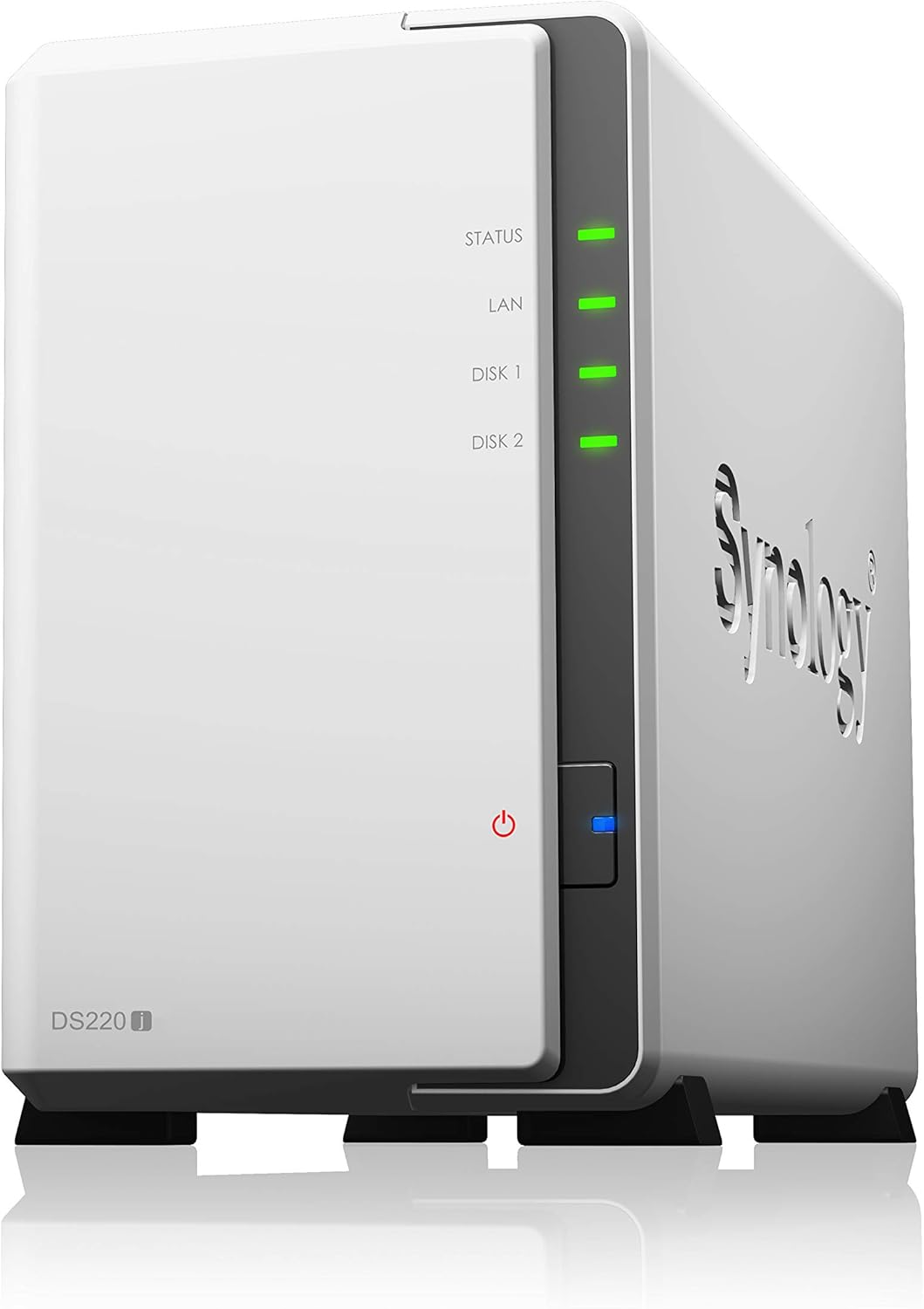
    1. Synology DS220j

    [su_button url=”https://www.amazon.com/Synology-DiskStation-DS220j-Diskless-2-bay/dp/B0855LMP81/?tag=vfxpro-20″ background=”#ef2d38″ size=”6″ center=”yes” radius=”round” onclick=”trackOutboundLink(‘amazon’); clicky.goal( ‘119507’, null, 1 ); clicky.pause( 500 );” rel=”nofollow” target=”blank”]View Prices![/su_button]

    Any video editor will tell you that fast data storage is an element that cannot be compromised. When it comes to video editing, there isn’t better value for money options than the Synology DS220j.

    Why This NAS? For the features of course. This NAS lets you have your own private cloud. This award-winning DSM brings intuitive operation flow making it simple and easy to use. It also has an integrated media server that supports multimedia content streaming.

    How good is it in terms of the numbers? The numbers are cracking in pretty well. You get up to 32TB of storage! That’s a lot! It also has over 112 MBPS encrypted reading and writing speed. Thus, it’s one of our best performing NAS on this list.

    You can access or share your data from anywhere through the Windows macOS and Linux computers or mobile devices. It also has a feature called the bulletproof backup which saves all of your data so that you can restore them if any accidents occur.

    Though the drives aren’t included and you’ll only get one LAN port, we still found this NAS to be a tad bit above the rest. And the people agree with that too as it’s the best Selling NAS on Amazon.

    Pros

    • Has an award-winning DSM.
    • The intuitive operation flow makes it simple and easy to use.
    • The Integrated media server supports multimedia content streaming.
    • Up to 32TB of storage.
    • It has over 112 MBps encrypted reading and writing speed 
    • Provides the ability to access or share your data from anywhere
    • Compatible with Windows macOS, Linux computers, and mobile devices.
    • The bulletproof backup saves all of your data so that you can restore them if any accidents occur.

    Cons

    • Drives are not included.
    • Only one LAN port.

    [su_button url=”https://www.amazon.com/Synology-DiskStation-DS220j-Diskless-2-bay/dp/B0855LMP81/?tag=vfxpro-20″ background=”#ef2d38″ size=”6″ center=”yes” radius=”round” onclick=”trackOutboundLink(‘amazon’); clicky.goal( ‘119507’, null, 1 ); clicky.pause( 500 );” rel=”nofollow” target=”blank”]View Prices![/su_button]

    2. BUFFALO TeraStation

    [su_button url=”https://www.amazon.com/dp/B01N5BX68A/?tag=vfxpro-20″ background=”#ef2d38″ size=”6″ center=”yes” radius=”round” onclick=”trackOutboundLink(‘amazon’); clicky.goal( ‘119507’, null, 1 ); clicky.pause( 500 );” rel=”nofollow” target=”blank”]View Prices![/su_button]

    If I had to pick a NAS based on its looks, I would’ve gone for the Buffalo Terastation. On top of looking great, this NAS also has a mind-boggling performance unit. I like this one so much that I wouldn’t hesitate to name this as my personal favorite NAS of the bunch.

    The Buffalo TeraStation is quite easy to use. It comes with a Pre-tested NAS-grade hard drive. As it’s RAID pre-configured, it’ll save you both time and money. It’s also compatible with Dropbox, Dropbox Business, Amazon S3, and Microsoft Azure.

    The Buffalo Terastation treats its users and their data with the most security possible. That’s why you’ll find yourself a Hybrid Cloud and Private Cloud backup option. It also has an iSCSI backup target and Rsync Backup enabled. This NAS offers even more value with the bundled NovaBACKUP business-level PC backup software.

    The Buffalo Terastation Works with Buffalo remote monitoring software and other 3rd party software. You can also access this software from anywhere and with any software. This software has up to 16TB of data storage.

    Though it has random heating issues, we can’t think of a better industry-grade NAS than this one. You should go for it.

    Pros

    • It comes with a pre-tested NAS-grade hard drive.
    • As it’s RAID pre-configured, it’ll save you both time and money.
    • Compatible with Dropbox, Dropbox Business, Amazon S3, and Microsoft Azure.
    • Top-tier Hybrid Cloud and Private Cloud backup.
    •  iSCSI backup target and Rsync Backup enabled. 
    • NovaBACKUP business-level PC backup software is included with the bundle.
    • Supports Buffalo remote monitoring software and other 3rd party software.
    • Up to 16TB storage.

    Cons

    • Can overheat at times.

    [su_button url=”https://www.amazon.com/dp/B01N5BX68A/?tag=vfxpro-20″ background=”#ef2d38″ size=”6″ center=”yes” radius=”round” onclick=”trackOutboundLink(‘amazon’); clicky.goal( ‘119507’, null, 1 ); clicky.pause( 500 );” rel=”nofollow” target=”blank”]View Prices![/su_button]

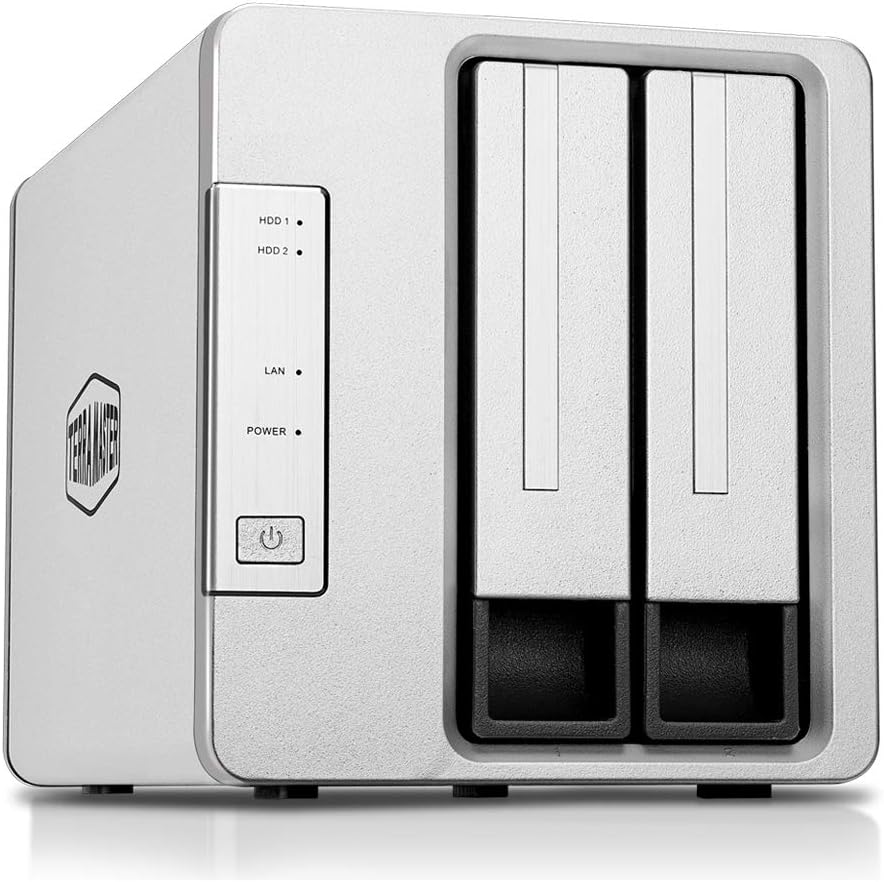
    3. TerraMaster F2-221
    [su_button url=”https://www.amazon.com/TerraMaster-F2-221-Storage-Network-Diskless/dp/B07JHJHBDH/?tag=vfxpro-20″ background=”#ef2d38″ size=”6″ center=”yes” radius=”round” onclick=”trackOutboundLink(‘amazon’); clicky.goal( ‘119507’, null, 1 ); clicky.pause( 500 );” rel=”nofollow” target=”blank”]View Prices![/su_button]

    If you’re looking for a NAS for light use but want good components then the TerraMaster F2-221 would be a perfect choice. This NAS has good components and even better performance. And it can be of excellent value to the right person.

    The TerraMaster has some pretty strong hardware on the inside. It comes with Intel Apollo J3355 2.0GHz dual-core CPU and 2GB RAM. The RAM is upgradeable as you can expand it up to 4GB. The read/write speed is exceptional too as you’ll get up to 200 MB/s reading and 190 MB/s writing speed.

    The TerraMaster F2-221 has some seriously strong protection for the user’s data. It features an AES hardware encryption engine. This engine encrypts shared folders and network data transmission. So rest assured your data won’t have any access.

    The TerraMaster is great for video editors as it supports up to 4K streaming. It also has an aluminum-alloy shell and intelligent temperature control ultra-quiet fan that keeps the NAS cool and durable at all times. It also creates savepoints for all of your data so you can roll back to a previous savepoint if any accidents occur.

    Though the recommended HDDs are a bit pricey, this is one of the best NAS for casual/low usage. It’s cheap, fast, and reliable and when you’re getting all these at one place there isn’t much to nitpick about.

    Pros

    • A strong performance unit containing Intel Apollo J3355 2.0GHz dual-core CPU and 2GB RAM.
    • RAM is upgradeable up to 4GB.
    • Exceptional 200 MB/s reading and 190 MB/s writing speed.
    • The AES hardware encryption engine encrypts shared folders and network data transmission for safety.
    • Supports up to 4K streaming.
    • The aluminum-alloy shell and intelligent temperature control ultra-quiet fan keeps the NAS cool and durable at all times.
    • It creates savepoints for all of your data so you can roll back to a previous savepoint if any accidents occur.
    • Cheap fast and reliable.

    Cons

    • Recommended HDDs are a bit pricey.

    [su_button url=”https://www.amazon.com/TerraMaster-F2-221-Storage-Network-Diskless/dp/B07JHJHBDH/?tag=vfxpro-20″ background=”#ef2d38″ size=”6″ center=”yes” radius=”round” onclick=”trackOutboundLink(‘amazon’); clicky.goal( ‘119507’, null, 1 ); clicky.pause( 500 );” rel=”nofollow” target=”blank”]View Prices![/su_button]

    4. QNAP 4-Bay Professional NAS

    [su_slider source=”media: 242,243,244,245,246″ link=”lightbox” width=”800″ height=”400″ mousewheel=”no” autoplay=”0″ speed=”0″]

    [su_button url=”https://www.amazon.com/TS-453Be-2G-US-Professional-Quad-core-Hardware-Encryption/dp/B07BB7NR2H/ref=sr_1_22?keywords=best+nas&qid=1553318744&s=gateway&sr=8-22&tag=vfxpro-20&linkId=ae265a5663375a78deb05cda4fdf0b5c&language=en_US” background=”#ef2d38″ size=”6″ center=”yes” radius=”round” onclick=”trackOutboundLink(‘amazon’); clicky.goal( ‘119507’, null, 1 ); clicky.pause( 500 );” rel=”nofollow” target=”blank”]View Prices![/su_button]

    Invest in the [link url=”https://www.amazon.com/TS-453Be-2G-US-Professional-Quad-core-Hardware-Encryption/dp/B07BB7NR2H/ref=sr_1_22?keywords=best+nas&qid=1553318744&s=gateway&sr=8-22&tag=vfxpro-20&linkId=ae265a5663375a78deb05cda4fdf0b5c&language=en_US”]QNAP TS-453Be-2G J3455 Hardware NAS[/link] as the perfect solution for your computing needs. File management is an important aspect of your business, and the QNAP helps you realize this goal in many ways. 

    The Qnap 4-Bay has a pretty strong performance unit. It comes with an Intel Celeron J3455 quad-core (Up to 2.3GHz) and 4GB DDR3L RAM. It also has a pretty low power consumption rate so it won’t cost you a fortune to run this NAS.

    The Qnap 4-Bay is ideal for your home and office. It comes with a special PCIe slot that improves functionality. More so, the TS-453Be-2G J3455 can also double up as a contemporary multimedia service with a dual channel. 

    The device offers a smooth media viewing experience on almost any type of device. To protect your data from damage, the QNAP keeps a snapshot of the storage at a specific point in time. As such, the users can roll back their data in the likelihood of a malicious attack.

    Users can also realize optimal performance with the unique PCIe slot. The unique slot moves the most frequently used data to the high-performance SSDs on a specific schedule. Taking things to the next level, the QNAP is compatible with various types of devices. Some of them include AppleTV, DLNA, Firestick, and more. 

    Furthermore, several productivity tools are available on the hard drive to enhance efficiency for creative professionals. Similar to all the high-end NAS resources, this unit has unique file management and storage protocol. Through this approach, the NAS ensures that all your data is safe from issues such as malicious hacking.

    You can also leverage the benefits of hardware transcoding to store your content on the fly. The drive helps to keep your data safe with advanced computer security resources. These include

    AES-256 bit encryption, access control, and protocol access control.

    Though setting up this NAS is a bit of a hassle in itself, it isn’t a deal-breaker and you can pick this NAS up any moment you want. You won’t regret it.

    Pros

    • A strong processing unit of Intel Celeron J3455 quad-core (Up to 2.3GHz) and 4GB DDR3L RAM.
    • Smooth media viewing experience across all of your devices.
    • The Qnap 4-bay keeps track of the users’ data. So if any problem occurs they can roll back to the last backup point.
    • The high-performance SSD offers fast Storage read/write speed.
    • QNAP is compatible with various types of devices including AppleTV, DLNA, Firestick.
    • The unique Aes-ni encryption method ensures that your data is safe from issues such as malicious hacking.
    • Access control, and protocol access control.is available on the fly.

    Cons

    • Hard to set up.

    [su_button url=”https://www.amazon.com/TS-453Be-2G-US-Professional-Quad-core-Hardware-Encryption/dp/B07BB7NR2H/ref=sr_1_22?keywords=best+nas&qid=1553318744&s=gateway&sr=8-22&tag=vfxpro-20&linkId=ae265a5663375a78deb05cda4fdf0b5c&language=en_US” background=”#ef2d38″ size=”6″ center=”yes” radius=”round” onclick=”trackOutboundLink(‘amazon’); clicky.goal( ‘119507’, null, 1 ); clicky.pause( 500 );” rel=”nofollow” target=”blank”]View Prices![/su_button]

    5. ASUSTOR AS1002T

    [su_slider source=”media: 250,248,249,251,247″ link=”lightbox” width=”800″ height=”400″ mousewheel=”no” autoplay=”0″ speed=”0″]

    [su_button url=”https://www.amazon.com/ASUSTOR-AS1002T-2-Bay-Personal-Cloud/dp/B014YN6IK4?tag=vfxpro-20″ background=”#ef2d38″ size=”6″ center=”yes” radius=”round” onclick=”trackOutboundLink(‘amazon’); clicky.goal( ‘119507’, null, 1 ); clicky.pause( 500 );” rel=”nofollow” target=”blank”]View Prices![/su_button]

    Being a productive professional relates to the quality of your work regimen. But The budget can be a bit problematic at times. And for someone on a budget, the[link url=”https://www.amazon.com/TS-453Be-2G-US-Professional-Quad-core-Hardware-Encryption/dp/B07BB7NR2H/ref=sr_1_22?keywords=best+nas&qid=1553318744&s=gateway&sr=8-22&tag=vfxpro-20&linkId=ae265a5663375a78deb05cda4fdf0b5c&language=en_US”]ASUSTOR AS1002T 2 Bay Personal Cloud storage[/link] is the ideal solution.

    It comes with a 1GHz dual-core CPU that provides hardware encryption benefits. Besides that, the inbuilt CPU floating-point makes processing large amounts of data fast and easy. As such, you can instantly transfer photos and video content conveniently. 

    For video editors, the drive supports 4k media playback and online transcoding. The drive also does well to snapshot and record the system status.

    If you accidentally delete or modify the files, you can restore them to the computer with ease. More so, the rich variety of multimedia applications makes it simple to stream high-definition entertainment content. It allows you to stream to devices such as web browsers on computers, tablets, smartphones, and more. 

    Designed to provide ultra-quiet and energy-efficient operation, the Cloud NAS is ideal for your video editing needs. It also works well with most types of devices and requires no additional software to operate.

    Equipped with Windows, Mac, and Linux cross-platform sharing, the hard drive is ideal for centralized data storage. For improved file management, the NAS is equipped with several unique software. This way, you can access the NAS and manage files conveniently. Other unique features include the inbuilt speaker and the line-out port for optimal user convenience.

    Though this Nas doesn’t provide HDMI support, it’s still one of the better choices to go for. But for durability and performance, I’d recommend you look at the upper part of this list.

    Pros

    • A strong 1GHz dual-core CPU.
    • The inbuilt CPU floating-point makes processing large amounts of data fast and easy.
    • Instantly transfers photos and video content.
    • Creates a backup point so that you can restore deleted or modified files.
    • It can stream to devices such as web browsers on computers, tablets, smartphones, and more. 
    • Supports cross-platform sharing.
    • Comes with an in-built speaker.

    Cons

    • No HDMI port.
    • Not as durable or performs as some other NAS on this list.

    [su_button url=”https://www.amazon.com/ASUSTOR-AS1002T-2-Bay-Personal-Cloud/dp/B014YN6IK4?tag=vfxpro-20″ background=”#ef2d38″ size=”6″ center=”yes” radius=”round” onclick=”trackOutboundLink(‘amazon’); clicky.goal( ‘119507’, null, 1 ); clicky.pause( 500 );” rel=”nofollow” target=”blank”]View Prices![/su_button]

    6. NETGEAR ReadyNAS

    [su_slider source=”media: 253,254,255,252″ link=”lightbox” width=”800″ height=”400″ mousewheel=”no” autoplay=”0″ speed=”0″]

    [su_button url=”https://www.amazon.com/NETGEAR-ReadyNAS-Diskless-Performance-Processor/dp/B01N4FXY9I/ref=sr_1_14?keywords=best+nas&qid=1553318681&s=gateway&sr=8-14&tag=vfxpro-20&linkId=ae265a5663375a78deb05cda4fdf0b5c&language=en_US” background=”#ef2d38″ size=”6″ center=”yes” radius=”round” onclick=”trackOutboundLink(‘amazon’); clicky.goal( ‘119507’, null, 1 ); clicky.pause( 500 );” rel=”nofollow” target=”blank”]View Prices![/su_button]

    If you are looking to achieve a competitive edge over other video editors, then owning a good NAS might be the best place to start. Discover the excellence of the [link url=”https://www.amazon.com/NETGEAR-ReadyNAS-Diskless-Performance-Processor/dp/B01N4FXY9I/ref=sr_1_14?keywords=best+nas&qid=1553318681&s=gateway&sr=8-14&tag=vfxpro-20&linkId=ae265a5663375a78deb05cda4fdf0b5c&language=en_US”]Netgear NAS (RN42200)[/link] that lets you achieve 2x faster business application processing. 

    As we mentioned already, the NetGear Ready Nas has 2x faster business application processing. The higher processing happens because of the latest 64-bit technology. It has two versions, the diskless and the regular version.

    The regular version has 4TB storage whereas the diskless version has 20TB storage. This NAS is perfect for businesses with large file storage requirements. The storages are quality checked by the network experts. The Netgear NAS features a cloud backup to Amazon AWS, Google Drive, Dropbox.

    The security and backup of this NAS is top of the LIne as it has the most effective on-premises data backup solutions. It’s easiest to take care of too and doesn’t require anything extra. You can also collaborate better with the other users as it offers easy & secure access to your data from anywhere.

    Though it doesn’t feature SSD cache support, its other top-tier features are enough for you to pick this NAS. 

    Pros

    • The NetGear Ready Nas has 2x faster business application processing. 
    • The latest 64-bit technology increases its read/write speed.
    • Comes in two versions.
    • Up to 20TB storage options.
    • Perfect for businesses with large file storage requirements.
    • The storages are quality checked by the network experts
    • It offers easy & secure access to your data from anywhere.
    • The Netgear NAS features a cloud backup to Amazon AWS, Google Drive, Dropbox.

    Cons

    • No SSD cache support.

    [su_button url=”https://www.amazon.com/NETGEAR-ReadyNAS-Diskless-Performance-Processor/dp/B01N4FXY9I/ref=sr_1_14?keywords=best+nas&qid=1553318681&s=gateway&sr=8-14&tag=vfxpro-20&linkId=ae265a5663375a78deb05cda4fdf0b5c&language=en_US” background=”#ef2d38″ size=”6″ center=”yes” radius=”round” onclick=”trackOutboundLink(‘amazon’); clicky.goal( ‘119507’, null, 1 ); clicky.pause( 500 );” rel=”nofollow” target=”blank”]View Prices![/su_button]

    Conclusion

    Investing in a good NAS can be a reasonable investment if you want to enjoy convenient data storage and management. As a video editor, such a resource can prove to be an excellent addition to your team.

    It allows everyone to access the company files conveniently and ensures that all the files are safely uploaded to the cloud. In essence, the NAS provides a convenient way for you to access a host of useful resources that are necessary for a video editing company. 

    You and the team can gain access to company files conveniently, and with high-quality safety protocols. Take your business to the next level with a good NAS for improved data and file management.


  • The 5 Best Laptops for Video Editing in 2024 (Speed and Efficiency)

    The 5 Best Laptops for Video Editing in 2024 (Speed and Efficiency)

    The best laptop for video editing stands heads and shoulders over any other you may find in the market. Such a laptop requires more horsepower than ordinary laptops. It is worth clarifying one thing though. You can edit videos with just about any laptop, as long as you have the necessary software and skillset. Nevertheless, the best laptops give you more than what you can ever hope to get from ordinary devices. The three main factors to consider in such laptops are high-resolution display, powerful discrete graphics, and fast processors.

    The market is full of various options; hence, the need for choosing well. What works for somebody else may not produce the results you seek. Finding the right laptop can be a tricky affair. Below is a list of some of the best laptops worth using for all your video editing projects.

    #1 MacBook Pro

    Macbook Pro

    [su_button url=”https://www.amazon.com/Apple-Macbook-MJLQ2LL-15-inch-Processor/dp/B00XZGMBVC/?tag=vfxpro-20″ target=”blank” background=”#F24D43″ size=”8″ center=”yes” radius=”20″ onclick=”clicky.goal( ”, null, 1 ); clicky.pause( 500 );” rel=”nofollow”]View Prices![/su_button]

    There is no doubt that the [link url=”https://www.amazon.com/Apple-Macbook-MJLQ2LL-15-inch-Processor/dp/B00XZGMBVC/?tag=vfxpro-20″]15-inch MacBook Pro[/link] is one of the most effective and high-performance laptops for video editing available today. You will struggle finding a more powerful laptop for your video editing needs than this one. The Intel Core i7 processor makes the laptop faster than the competition. The display – and screen – is not only brighter but also more colorful. The Touch Bar adapts to the app you are using at any given moment. The graphics card – Radeon Pro 460 GPU – is one of the most powerful too.

    Pros

    • Lightweight laptop
    • Sharp Retina display
    • Long battery life
    • Faster processor
    • Powerful graphics card
    • Brighter and colorful display
    • Newly featured Force Touch Trackpad

    Cons

    • Only has Thunderbolt 3 ports

    [su_button url=”https://www.amazon.com/Apple-Macbook-MJLQ2LL-15-inch-Processor/dp/B00XZGMBVC/?tag=vfxpro-20″ target=”blank” background=”#F24D43″ size=”8″ center=”yes” radius=”20″ onclick=”clicky.goal( ”, null, 1 ); clicky.pause( 500 );” rel=”nofollow”]View Prices![/su_button]

    #2 Dell XPS 15

    Dell XPS for Video Editing

    [su_button url=”https://www.amazon.com/Dell-XPS9560-7001SLV-PUS-display-Aluminum-Chassis/dp/B01N1Q0M4O/?tag=vfxpro-20″ target=”blank” background=”#F24D43″ size=”8″ center=”yes” radius=”20″ onclick=”clicky.goal( ”, null, 1 ); clicky.pause( 500 );” rel=”nofollow”]View Prices![/su_button]

    Anybody who values excellent display while editing videos should look no further than [link url=”https://www.amazon.com/Dell-XPS9560-7001SLV-PUS-display-Aluminum-Chassis/dp/B01N1Q0M4O/?tag=vfxpro-20″]Dell XPS 15[/link]. The 4K screen and display will leave you mesmerized. With this laptop, you can proceed to edit videos in a stylish manner. Your videos will come out better than anybodys. The seventh generation (7th Gen) i7 Quad Core will ensure that you do your work quickly. This laptop is quite fast and performs exceptionally well exceeding all your expectations. Its Stylus Pen offers you an extra way of using the laptop to edit videos of your choice too.

    Pros

    • Stylish chassis made of both aluminum and carbon-fiber
    • Good battery life
    • Stunning InfinityEdge display and screen
    • Comes with a power adapter (110-220V)
    • Operates on Windows 10
    • Thin and portable

    Cons

    • Operates on Windows 10 Home instead of Windows 10 Pro
    • Webcam is poorly located thus looking up your nose instead of right at your face

    [su_button url=”https://www.amazon.com/Dell-XPS9560-7001SLV-PUS-display-Aluminum-Chassis/dp/B01N1Q0M4O/?tag=vfxpro-20″ target=”blank” background=”#F24D43″ size=”8″ center=”yes” radius=”20″ onclick=”clicky.goal( ”, null, 1 ); clicky.pause( 500 );” rel=”nofollow”]View Prices![/su_button]

    #3 Microsoft Surface Book 2

    Microsoft Surface Book 2

    [su_button url=”https://www.amazon.com/Microsoft-Surface-Book-Intel-256GB/dp/B076J184LM/?tag=vfxpro-20″ target=”blank” background=”#F24D43″ size=”8″ center=”yes” radius=”20″ onclick=”clicky.goal( ”, null, 1 ); clicky.pause( 500 );” rel=”nofollow”]View Prices![/su_button]

    In terms of versatility, no other laptop beats [link url=”https://www.amazon.com/Microsoft-Surface-Book-Intel-256GB/dp/B076J184LM/?tag=vfxpro-20″]Microsoft Surface Book 2[/link]. This 15-inch laptop also doubles as a tablet. The eighth generation (8th Gen) Intel Core i7 processor makes it one of the fastest too. It also boasts of one of the most dynamic displays of all laptops for video editing you can ever buy. Its battery is capable of lasting up to 12 hours without crying out for plugging to power source for a bit of recharging. It comes in two models – 15-inch and 13.5-inch. The laptop makes video editing a fun-filled activity.

    Pros

    • Detachable screen
    • Great Surface Pen experience
    • Long battery life
    • Built for great performance
    • Innovative details
    • Offers the best of the Microsoft world
    • Usable as a laptop or tablet
    • Comes with various accessories that include Surface Pen, Surface Dial, and Surface Precision Mouse

    Cons

    • No Thunderbolt 3 port
    • Too costly

    [su_button url=”https://www.amazon.com/Microsoft-Surface-Book-Intel-256GB/dp/B076J184LM/?tag=vfxpro-20″ target=”blank” background=”#F24D43″ size=”8″ center=”yes” radius=”20″ onclick=”clicky.goal( ”, null, 1 ); clicky.pause( 500 );” rel=”nofollow”]View Prices![/su_button]

    #4 HP ZBook Studio G3

    HP ZBook Laptop for Video Editing

    [su_button url=”https://www.amazon.com/HP-Workstation-V2W06UT-i7-6700HQ-Keyboard/dp/B01B3JE2D2/?tag=vfxpro-20″ target=”blank” background=”#F24D43″ size=”8″ center=”yes” radius=”20″ onclick=”clicky.goal( ”, null, 1 ); clicky.pause( 500 );” rel=”nofollow”]View Prices![/su_button]

    Fewer laptops deserve the title “workstation” more than the [link url=”https://www.amazon.com/HP-Workstation-V2W06UT-i7-6700HQ-Keyboard/dp/B01B3JE2D2/?tag=vfxpro-20″]HP ZBook Studio G3[/link]. HP put in a lot of work to convert this laptop into a beast capable of handling any amount of video editing work without breaking a sweat. It features amazing attributes that place it ahead of the best laptops from the competition. It comes with a pre-installed OS – Windows 7 or 10. The laptop is the type that video editing experts operating on tight budgets should prioritize. It ranks well in three categories; namely, performance, mobility and features.

    Pros

    • Weighs less than 2kg hence qualify to be labelled an Ultrabook
    • Highly portable
    • Provides excellent value for money
    • A perfect workstation
    • Powerful and elegant
    • Xeon CPU
    • Quadro GPU
    • 4K display

    Cons

    • Features fewer online configuration options compared to other laptops
    • Battery should be bigger

    [su_button url=”https://www.amazon.com/HP-Workstation-V2W06UT-i7-6700HQ-Keyboard/dp/B01B3JE2D2/?tag=vfxpro-20″ target=”blank” background=”#F24D43″ size=”8″ center=”yes” radius=”20″ onclick=”clicky.goal( ”, null, 1 ); clicky.pause( 500 );” rel=”nofollow”]View Prices![/su_button]

    #5 Lenovo ThinkPad P70

    Lenovo Thinkpad for Editing

    [su_button url=”https://www.amazon.com/Lenovo-ThinkPad-20ER002KUS-i7-6700HQ-Windows/dp/B0178JBBMG/?tag=vfxpro-20″ target=”blank” background=”#F24D43″ size=”8″ center=”yes” radius=”20″ onclick=”clicky.goal( ”, null, 1 ); clicky.pause( 500 );” rel=”nofollow”]View Prices![/su_button]

    This [link url=”https://www.amazon.com/Lenovo-ThinkPad-20ER002KUS-i7-6700HQ-Windows/dp/B0178JBBMG/?tag=vfxpro-20″]17.3″ Lenovo Thinkpad Pro[/link] laptop offers everything you could ever need in a laptop you use for editing videos. It has various expansion capabilities. It features a massive battery too. It was one of the first ever laptops to feature the revolutionary Intel Skylake Processor. With this processor, the laptop has continuously outperformed devices featuring Haswell or Broadwell chips. It has all the storage space and RAM you need for installing and saving video editing software or work. Its outstanding keyboard makes it easier for you to use the laptop.

    Pros

    • Excellent keyboard
    • Wide array of ports for all your connectivity needs
    • Ample storage
    • Plenty of RAM
    • Superbly designed
    • TrackPoint
    • Available in a much wider 17-inch screen
    • 4 memory modules and 4 storage drives make it one of the easiest models to upgrade
    • Available in LTE modem option
    • Great battery life

    Cons

    • Non-user replaceable battery

    ExpressCard 34

    [su_button url=”https://www.amazon.com/Lenovo-ThinkPad-20ER002KUS-i7-6700HQ-Windows/dp/B0178JBBMG/?tag=vfxpro-20″ target=”blank” background=”#F24D43″ size=”8″ center=”yes” radius=”20″ onclick=”clicky.goal( ”, null, 1 ); clicky.pause( 500 );” rel=”nofollow”]View Prices![/su_button]

    Other Types of Laptops

    If you are interested in more specific types of laptops, we have some drilled down lists here:

    Conclusion

    Based on the information published above, you now are better equipped to go to the nearest offline or online store and order the best laptop for video editing. You are free to choose the costliest in the list above. You simply need to confirm the one you choose is capable of helping you edit videos exceptionally well. Otherwise, your reputation could suffer a dent from which it may be impossible to recover. Shop around and visit as many retailers or manufacturers as possible before settling on the best choice of a laptop for your video editing work.

  • How To Calibrate A Monitor For Video Editing

    How To Calibrate A Monitor For Video Editing

    For video editors, a well-balanced monitor dramatically improves the outcome of the finished product. Monitor calibration ensures that your screen is displaying both gray-scale and color in their true forms, thus producing the best image and video results and minimizing the number of yours you spend working on post-production work. As a video editor, you can calibrate your monitor in one of two ways.

    The first one is that you could opt to take it to a professional, and the second option is that you can do it yourself and save a couple of, hundred dollars.

    Before the calibration process, it is important that you acquaint yourself with the display controls you will be minimizing for calibration and that you are working in a room whose ambient light is moderate and not overwhelming in any way.

    Once you have those two things right, you can start by switching your monitor at least 30 minutes before the process so it can adjust to its usual operating conditions and temperature. Secondly, you will need to ensure that the monitor is in its default resolution settings

    Calibrating Using Inbuilt Tools

    Most monitors for video editing typically have several inbuilt tools designed to help users calibrate their monitors without needing any other external devices or software. The inbuilt tools vary between operating systems, but the general concept is the same.

    Windows typically has a color calibration option while Mac has a Display Calibrator Assistant. Video editors can use these two options to change the settings of their monitor’s white point, gamma, brightness, etc. Once you have selected either one of the two options depending on your operating system, you simply need to follow the instructions from thereon.

    Calibrating Using A Colorimeter Device

    The second method through which you can calibrate your monitor for video editing is by using colorimeter devices such as the “Datacolor Spyder4Elite” or the “Spyder5Express” which work by simply installing the device’s software onto a user’s computer and then placing the colorimeter device on the monitor for it to adjust by itself.

    Unlike the other two methods discussed here, the colorimeter device does not rely on a user’s perception of color, and as such, they offer users the precision required to accurately calibrate the monitor. This device is ideal for video editors who use several screens when working as it provides them with consistency as once can save their ideal settings and apply them on a different screen.

    Calibrating Using Online Apps

    There is a myriad of online apps/tools for undertaking different activities, including monitor calibration. These apps can be used to manually calibrate the monitor’s colors, brightness response time, contrast, and many other settings. The online apps usually have guidelines and test patterns that users can conduct and customize the monitors accordingly.

  • Best Computers for Video Editing in 2024 (Desktop PC)

    Best Computers for Video Editing in 2024 (Desktop PC)

    Introduction

    Are you searching for a suitable solution for improving your productivity in video editing? Well, introducing the best desktop computer for video editing as the best place for you to start. A desktop is perfect for video editing because it often provides advanced level hardware and software features. These are machines that also make it convenient to perform hardware upgrades. Moreover, the desktops offer improved cooling benefits. As such, you can engage in long and intense hours of video rendering with facing a compromise in quality. Most good desktops come with powerful GPUs, CPU cooling technology, robust RAMs/ processors and more.

    The best desktops for you to consider include

    Acer Aspire TC-885

    [su_slider source=”media: 1401,1402,1403,1404″ link=”lightbox” title=”no” pages=”no” mousewheel=”no” autoplay=”0″ speed=”0″]

    [su_button url=”https://www.amazon.com/Acer-TC-885-ACCFLi3O-Desktop-i3-8100-802-11ac/dp/B07ML4GTCW/ref=sr_1_2?keywords=desktop+computer&qid=1556113334&s=gateway&sr=8-2&tag=vfxpro-20&linkId=ae265a5663375a78deb05cda4fdf0b5c&language=en_US” background=”#ef2d38″ size=”6″ center=”yes” radius=”round” onclick=”trackOutboundLink(‘amazon’); clicky.goal( ‘119507’, null, 1 ); clicky.pause( 500 );” rel=”nofollow”]View Prices![/su_button]

    With the Acer Aspire TC-885-ACCFLi30 Desktop, you can be sure of a suitable solution for video editing tasks. In particular, the desktop comes with a powerful 8th generation Intel i3-8100 Processor (3.6GHz) that rips through most video editing tasks. Making things much better, this unit offers fast boot up times, and it does not come with any form of bloatware. More importantly, the desktop has an exceptional 1TB 7200RPM SATA drive that offers optimal storage, and is silent in operation. It also has a slim and compact structure that leaves a small footprint in your working space. The desktop also offers enhanced functionality with wireless connectivity features such as the Bluetooth and Gigabit Ethernet LAN.

    Pros

    • Comes with a powerful Intel Core i3-8100 Processor (3.6GHz) – the powerful process handles most video editing tasks with ease
    • Offers wireless connectivity features – the laptop also provides wireless connectivity features for its users
    • Equipped with a USB 3.1 Type C port- the unique USB port can support up to 10Gbps for fast data transfer rates

    Cons

    • The Octane Software is sometimes inconsistent – the memory technology is not consistent enough at learning the needs of the user
    • The extra USB ports are not well-placed- the manufactures should have considered placing the extra USB ports in an easy to access panel

    [su_button url=”https://www.amazon.com/Acer-TC-885-ACCFLi3O-Desktop-i3-8100-802-11ac/dp/B07ML4GTCW/ref=sr_1_2?keywords=desktop+computer&qid=1556113334&s=gateway&sr=8-2&tag=vfxpro-20&linkId=ae265a5663375a78deb05cda4fdf0b5c&language=en_US” background=”#ef2d38″ size=”6″ center=”yes” radius=”round” onclick=”trackOutboundLink(‘amazon’); clicky.goal( ‘119507’, null, 1 ); clicky.pause( 500 );” rel=”nofollow”]View Prices![/su_button]

    Acer Aspire C24-865-ACi5NT AIO Desktop, 23.8″ Full HD, 8th Gen Intel Core i5-8250U

    [su_slider source=”media: 1405,1406,1407,1408,1409″ link=”lightbox” title=”no” pages=”no” mousewheel=”no” autoplay=”0″ speed=”0″]

    [su_button url=”https://www.amazon.com/Acer-C24-865-ACi5NT-i5-8250U-802-11ac-Wireless/dp/B07CY79CKZ/ref=sr_1_7?keywords=desktop+computer&qid=1556113334&s=gateway&sr=8-7&tag=vfxpro-20&linkId=ae265a5663375a78deb05cda4fdf0b5c&language=en_US” background=”#ef2d38″ size=”6″ center=”yes” radius=”round” onclick=”trackOutboundLink(‘amazon’); clicky.goal( ‘119507’, null, 1 ); clicky.pause( 500 );” rel=”nofollow”]View Prices![/su_button]

    Make your video editing tasks that much more fun and productive by investing in the Acer Aspire C24-865-ACi5NT Desktop. This desktop comes with a robust 8th gen Intel core i5 process, and it offers fast wireless connectivity benefits. Users can also get to enjoy a crisp and clear entertainment experience with an exceptional Full HD display. This feature is backed up by the exceptional NVIDIA Geforce 4GB graphics cards. The desktop also has a slim and compact design that makes it simple to move around small spaces. Acer has also done well to equip the desktop with an ample sized 4GB DDR4 RAM that offers optimal support for your tasks.

    Pros

    • Comes with a full HD display with NVIDIA graphics – the unique screen offers crisp content that is perfect for video editing and rendering tasks
    • Has a 4GB Ram and 8TH Core i5 processor- the powerful processes rips through most tasks with ease, while RAM offers optimal support for large programs
    • 802.1 aac and Bluetooth wireless support- the desktop offers support for the standard wireless functions for convenient connectivity functions.

    Cons

    • The Bluetooth range is not sufficient- connecting to the desktop around corners can be challenging
    • The Full HD screen is heavy in structure- some users have recommended for a relatively lightweight screen for the Desktop

    [su_button url=”https://www.amazon.com/Acer-C24-865-ACi5NT-i5-8250U-802-11ac-Wireless/dp/B07CY79CKZ/ref=sr_1_7?keywords=desktop+computer&qid=1556113334&s=gateway&sr=8-7&tag=vfxpro-20&linkId=ae265a5663375a78deb05cda4fdf0b5c&language=en_US” background=”#ef2d38″ size=”6″ center=”yes” radius=”round” onclick=”trackOutboundLink(‘amazon’); clicky.goal( ‘119507’, null, 1 ); clicky.pause( 500 );” rel=”nofollow”]View Prices![/su_button]

    Acer Aspire TC-865-NESelecti3 Desktop, 8th Gen Intel Core i3-8100, 8GB DDR4

    [su_slider source=”media: 1410,1411,1412,1413″ link=”lightbox” title=”no” pages=”no” mousewheel=”no” autoplay=”0″ speed=”0″]

    [su_button url=”https://www.amazon.com/Acer-TC-885-ACCFLi3-Desktop-i3-8100-802-11ac/dp/B07CYF9YGF/ref=sr_1_8?keywords=desktop+computer&qid=1556113334&s=gateway&sr=8-8&tag=vfxpro-20&linkId=ae265a5663375a78deb05cda4fdf0b5c&language=en_US” background=”#ef2d38″ size=”6″ center=”yes” radius=”round” onclick=”trackOutboundLink(‘amazon’); clicky.goal( ‘119507’, null, 1 ); clicky.pause( 500 );” rel=”nofollow”]View Prices![/su_button]

    The Acer Aspire TC-865 Desktop powers through most video editing programs with ease. Featuring a powerful 8th generation Intel core i3-8100 processor, this unit can offer blazing fast computing speeds. For storage purposes, the TC-865 has a remarkable 1TB 7200RMP SATA hard drive that is spacious enough for your media. The desktop also offers excellent connectivity options such as the Gigabit Ethernet LAN, Wi-Fi and Bluetooth 5.0. Also, the exterior structure is designed to provide durability against issues such as high impact falls. This way, you can easily connect to routers and smartphones conveniently. It also has a unique and sophisticated black chassis design that offers optimal computing speed.

    Pros

    • Features a powerful Intel core i2-8100 processor- the robust process is ideal for multitasking in video editing projects
    • 8GB DDR4 RAM and 1TB 7200RPM SATA- the desktop has an amply sized RAM that offers support for large tasks. The hard drive offers optimal storage and fast data access.
    • Offers useful connectivity functions- the desktop also provides support for both Wi-fi and Bluetooth connectivity options

    Cons

    • The desktop could use a CF port- the CF port would be useful for connecting memory cards and Micro SD cards
    • Limited upgrade capability- the desktop comes with one SATA port, memory slot and PCI slot, which makes

    [su_button url=”https://www.amazon.com/Acer-TC-885-ACCFLi3-Desktop-i3-8100-802-11ac/dp/B07CYF9YGF/ref=sr_1_8?keywords=desktop+computer&qid=1556113334&s=gateway&sr=8-8&tag=vfxpro-20&linkId=ae265a5663375a78deb05cda4fdf0b5c&language=en_US” background=”#ef2d38″ size=”6″ center=”yes” radius=”round” onclick=”trackOutboundLink(‘amazon’); clicky.goal( ‘119507’, null, 1 ); clicky.pause( 500 );” rel=”nofollow”]View Prices![/su_button]

    2019 HP 23.8″ FHD Touchscreen IPS-WLED Backlit AIO Desktop Computer

    [su_slider source=”media: 1414,1415,1416,1417″ link=”lightbox” title=”no” pages=”no” mousewheel=”no” autoplay=”0″ speed=”0″]

    [su_button url=”https://www.amazon.com/HP-Touchscreen-IPS-WLED-AIO-Bluetooth/dp/B01JSDKGOO/ref=sr_1_47?keywords=desktop+computer&qid=1556113599&s=gateway&sr=8-47&tag=vfxpro-20&linkId=ae265a5663375a78deb05cda4fdf0b5c&language=en_US” background=”#ef2d38″ size=”6″ center=”yes” radius=”round” onclick=”trackOutboundLink(‘amazon’); clicky.goal( ‘119507’, null, 1 ); clicky.pause( 500 );” rel=”nofollow”]View Prices![/su_button]

    You can easily take your video editing productivity to the next level with the 2019 HP 23.8 FHD touchscreen desktop. Featuring a powerful 8GB RAM for advanced multitasking, this desktop is ideal for your video editing needs. The inclusion of an SSD hard drive and optimal cooling technology means that this unit is whisper quiet in operation.

    The processor also has special cooling technology It also comes with a powerful AMD Radeon R5 Chipset with shared video memory. As such, you can enjoy high-quality image quality, to make it ideal for photo and video editing. You can also fun browsing on the internet and connecting to devices such as smartphones with unique wireless connectivity options.

    Pros

    • Equipped with an FHD IPS WLED micro edge touchscreen – the high-quality screen does well to deliver rich and crisp content
    • Has a robust 8GB RAM and 1TB HDD – these are powerful hardware features that are necessary for video editing projects
    • AMD 2Core Accelerated AOU 3.1 GHz processor – the powerful processor, is fast, and it produces minimal heat and sound

    Cons

    • The desktop could also use additional Slots – making upgrades for resources such as wifi is not easy because the ports are inadequate in number
    • Some users require CF ports- some users require ports for connecting devices such as smartphones

    [su_button url=”https://www.amazon.com/HP-Touchscreen-IPS-WLED-AIO-Bluetooth/dp/B01JSDKGOO/ref=sr_1_47?keywords=desktop+computer&qid=1556113599&s=gateway&sr=8-47&tag=vfxpro-20&linkId=ae265a5663375a78deb05cda4fdf0b5c&language=en_US” background=”#ef2d38″ size=”6″ center=”yes” radius=”round” onclick=”trackOutboundLink(‘amazon’); clicky.goal( ‘119507’, null, 1 ); clicky.pause( 500 );” rel=”nofollow”]View Prices![/su_button]

    HP 270 21.5-Inch Full HD

    [su_slider source=”media: 1418,1419,1420,1421,1422″ link=”lightbox” title=”no” pages=”no” mousewheel=”no” autoplay=”0″ speed=”0″]

    [su_button url=”https://www.amazon.com/HP-21-5-Inch-Dual-Core-Processor-Keyboard/dp/B07K8TZ4JC/ref=sr_1_35?keywords=desktop+computer&qid=1556113363&s=gateway&sr=8-35&tag=vfxpro-20&linkId=ae265a5663375a78deb05cda4fdf0b5c&language=en_US” background=”#ef2d38″ size=”6″ center=”yes” radius=”round” onclick=”trackOutboundLink(‘amazon’); clicky.goal( ‘119507’, null, 1 ); clicky.pause( 500 );” rel=”nofollow”]View Prices![/su_button]

    Conquer your professional work with the HP 270 21.5 Inch Full HD Display Slim Desktop PC. Designed to be slim and compact structure, this unit adds a small footprint to your working space. It comes with a backlit widescreen monitor that offers exceptional image quality each time. More so, the Intel Pentium G4560T dual-core process lets you get the reliable performance you expect. The slim and compact structure of this unit leaves a small footprint in your working space. When you are looking for a desktop that does not quit, then the HP 270 is perfect for your needs. Offering support for the most popular USB connections, this unit lets you enjoy super-fast data transfer speed.

    Pros

    • Equipped with a powerful Intel Pentium Dual-Core Processor- the powerful processor is suitable for the high demands of most video editing projects
    • Dual band 802.11 ac and Bluetooth- the desktop also offers exceptional connectivity options such as the Bluetooth and Wi-Fi features
    • Intel HD 3GB Graphics- the machine also has an amply sized graphics card that is suitable for rendering video content

    Cons

    • Getting hardware updates is not easy – gaining access to the drives of this desktop computer are not easy
    • The scope of wifi is not great – some users have complained about the ability to connect effectively to routers which are not close in proximity

    [su_button url=”https://www.amazon.com/HP-21-5-Inch-Dual-Core-Processor-Keyboard/dp/B07K8TZ4JC/ref=sr_1_35?keywords=desktop+computer&qid=1556113363&s=gateway&sr=8-35&tag=vfxpro-20&linkId=ae265a5663375a78deb05cda4fdf0b5c&language=en_US” background=”#ef2d38″ size=”6″ center=”yes” radius=”round” onclick=”trackOutboundLink(‘amazon’); clicky.goal( ‘119507’, null, 1 ); clicky.pause( 500 );” rel=”nofollow”]View Prices![/su_button]

    Dell i5680-7813BLU-PUS Inspiron Gaming PC Desktop 5680, Intel Core i7-8700

    [su_slider source=”media: 1423,1424,1425,1426,1427″ link=”lightbox” title=”no” pages=”no” mousewheel=”no” autoplay=”0″ speed=”0″]

    [su_button url=”https://www.amazon.com/Dell-i5675-7806BLU-PUS-Inspiron-Desktop-i7-8700/dp/B079HWQFHS/ref=sr_1_34?keywords=desktop+computer&qid=1556113363&s=gateway&sr=8-34&tag=vfxpro-20&linkId=ae265a5663375a78deb05cda4fdf0b5c&language=en_US” background=”#ef2d38″ size=”6″ center=”yes” radius=”round” onclick=”trackOutboundLink(‘amazon’); clicky.goal( ‘119507’, null, 1 ); clicky.pause( 500 );” rel=”nofollow”]View Prices![/su_button]

    Dell is also an industry leader when it comes to producing powerful solutions for Video Editing. This is why the Dell i5680-7813BLU Gaming Desktop is perfect for your needs. In particular, this unit offers high powered processing with as many as six core processors. The process provides optimal clock rates and performance and headroom for split-second responsiveness.

    Additionally, the desktop features special cooling technology, to ensure you stay productive at all times. Video editing enthusiasts will also appreciate the VR ready graphics card. In particular, the inclusion of the NVIDIA GeForce GTX 1600 graphics renders image for top quality results. The desktop also does well to provide exceptional boot times based on the responsive SSD.

    Pros

    • Designed to offer high powered processing- equipped with Intel Core i7 (6 Core) processors, this unit offers reliable performance
    • VR-ready graphics- the chassis of this computer supports NVIDIA GeForce GTX 1060 graphics, which is suitable for video editing
    • Durable and compact structure- while the computer is durable in structure, it also leaves a small footprint in your workspace

    Cons

    • The SSD is relatively less for some users – the 500GB might not be necessarily sufficient for users with large data stores
    • The laptop produces a lot of heat – the laptop produces immense heat, probably due to the positioning of the fan and other hardware components

    [su_button url=”https://www.amazon.com/Dell-i5675-7806BLU-PUS-Inspiron-Desktop-i7-8700/dp/B079HWQFHS/ref=sr_1_34?keywords=desktop+computer&qid=1556113363&s=gateway&sr=8-34&tag=vfxpro-20&linkId=ae265a5663375a78deb05cda4fdf0b5c&language=en_US” background=”#ef2d38″ size=”6″ center=”yes” radius=”round” onclick=”trackOutboundLink(‘amazon’); clicky.goal( ‘119507’, null, 1 ); clicky.pause( 500 );” rel=”nofollow”]View Prices![/su_button]

    HP Pavilion Desktop Computer

    [su_slider source=”media: 1428,1429,1430,1431,1432″ link=”lightbox” title=”no” pages=”no” mousewheel=”no” autoplay=”0″ speed=”0″]

    [su_button url=”https://www.amazon.com/HP-Pavilion-Desktop-Computer-570-p020/dp/B06XDQLT7Q/ref=pd_sim_147_7?_encoding=UTF8&pd_rd_i=B06XDQLT7Q&pd_rd_r=13ad3795-6d79-11e9-9381-ffdfe42e5ee6&pd_rd_w=GmXAr&pd_rd_wg=imM56&pf_rd_p=90485860-83e9-4fd9-b838-b28a9b7fda30&pf_rd_r=0TRF7ZQQB278M9M5SQEQ&psc=1&refRID=0TRF7ZQQB278M9M5SQEQ&tag=vfxpro-20&linkId=ae265a5663375a78deb05cda4fdf0b5c&language=en_US” background=”#ef2d38″ size=”6″ center=”yes” radius=”round” onclick=”trackOutboundLink(‘amazon’); clicky.goal( ‘119507’, null, 1 ); clicky.pause( 500 );” rel=”nofollow”]View Prices![/su_button]

    Built for a higher state of computing, the HP Pavilion Desktop Computer is a stylish and space saving addition to your professional workspace. The desktop also has a durable structure that is built to last. It also comes with a powerful 7th generation process that offers powerful multitasking performance and capabilities. Backing the powerful processor is the cool boost technology that lets you stay productive during intense projects. Boasting a powerful 8GB DDR4-2400 RPM Ram, the HP Pavilion Desktop Computer is designed to run efficiently and fast. For storage, the HP Pavilion has a spacious 1TB hard drive that is whisper quiet in operation.

    Pros

    • Equipped with a powerful i5-7400 Processor – the powerful process if perfect for switching through multiple tasks
    • Designed to run silent and efficiently – the machine has excellent components such as the SSD that are whisper silent
    • Has a spacious 1TB 7200RPM SATA – the spacious 1TB hard drive offer unlimited space for your professional projects

    Cons

    • The windows ten might require a key – the windows version that comes by default is available for a trial version
    • Making upgrades DIY is not easy – introducing hardware upgrades to the machine is not easy due to its unique structure

    [su_button url=”https://www.amazon.com/HP-Pavilion-Desktop-Computer-570-p020/dp/B06XDQLT7Q/ref=pd_sim_147_7?_encoding=UTF8&pd_rd_i=B06XDQLT7Q&pd_rd_r=13ad3795-6d79-11e9-9381-ffdfe42e5ee6&pd_rd_w=GmXAr&pd_rd_wg=imM56&pf_rd_p=90485860-83e9-4fd9-b838-b28a9b7fda30&pf_rd_r=0TRF7ZQQB278M9M5SQEQ&psc=1&refRID=0TRF7ZQQB278M9M5SQEQ&tag=vfxpro-20&linkId=ae265a5663375a78deb05cda4fdf0b5c&language=en_US” background=”#ef2d38″ size=”6″ center=”yes” radius=”round” onclick=”trackOutboundLink(‘amazon’); clicky.goal( ‘119507’, null, 1 ); clicky.pause( 500 );” rel=”nofollow”]View Prices![/su_button]

    Lenovo IdeaCentre AIO

    [su_slider source=”media: 1433″ link=”lightbox” title=”no” pages=”no” mousewheel=”no” autoplay=”0″ speed=”0″]

    [su_button url=”https://www.amazon.com/Lenovo-520-23-8-A12-8GB/dp/B076V368JJ/ref=sxbs_sxwds-stvp?keywords=best+desktop&pd_rd_i=B076V368JJ&pd_rd_r=657c1f73-7f34-4f7a-9981-e5be5c50d963&pd_rd_w=JNVfd&pd_rd_wg=xgTLE&pf_rd_p=a6d018ad-f20b-46c9-8920-433972c7d9b7&pf_rd_r=B0KEXYBPQ47705NJQR1C&qid=1556888397&s=gateway&tag=vfxpro-20&linkId=ae265a5663375a78deb05cda4fdf0b5c&language=en_US” background=”#ef2d38″ size=”6″ center=”yes” radius=”round” onclick=”trackOutboundLink(‘amazon’); clicky.goal( ‘119507’, null, 1 ); clicky.pause( 500 );” rel=”nofollow”]View Prices![/su_button]

    The Lenovo IdeaCentre AIO 520-24AST introduces a premium look and enhanced performance for your professional work. It has a sleek design and exceptional hardware features. For instance, the desktop has a 7th Generation AMD A12-9720P, 2.7GHz for users who value unrivaled  performance right of the box. Even more, the 8GB ram is suitable for advanced multitasking, and to smoothly run video editing apps. Equipped with a respectable 1 TB HDD, you will have more than sufficient space for videos and editing projects. Users will also appreciate the amply sized screen that will deliver rich images and video content. The screen also has anti-glare benefits, which makes it work well in sunlit situations

    Pros

    • Comes with a premium look – the unique accents and appeal of this machine will
      complement your workspace
    • Has a powerful 7th generation processor and ram – the powerful process also rips through
      most editing tasks with ease
    • The 1TB hard disk is very spacious – the spacious hard drive offers optimal space for
      storing video content and media

    Cons

    • The HDD is inferior compared to SSD – the HDD contains moving components that
      might produce heat and noise in operation
    • The desktop might produce sound – the computer might produce immense noise,
      especially when working on many tasks at once

    [su_button url=”https://www.amazon.com/Lenovo-520-23-8-A12-8GB/dp/B076V368JJ/ref=sxbs_sxwds-stvp?keywords=best+desktop&pd_rd_i=B076V368JJ&pd_rd_r=657c1f73-7f34-4f7a-9981-e5be5c50d963&pd_rd_w=JNVfd&pd_rd_wg=xgTLE&pf_rd_p=a6d018ad-f20b-46c9-8920-433972c7d9b7&pf_rd_r=B0KEXYBPQ47705NJQR1C&qid=1556888397&s=gateway&tag=vfxpro-20&linkId=ae265a5663375a78deb05cda4fdf0b5c&language=en_US” background=”#ef2d38″ size=”6″ center=”yes” radius=”round” onclick=”trackOutboundLink(‘amazon’); clicky.goal( ‘119507’, null, 1 ); clicky.pause( 500 );” rel=”nofollow”]View Prices![/su_button]

    Conclusion

    Broadly speaking, a good desktop is vital for any professional task, work or even project. A desktop often offers improved hardware features, and at a relatively reasonable price than a laptop. For this reason, consider investing in one of the best desktop computers for video editing.

    Equipped with one of these machines, and you can easily make your video editing projects productive. The  desktops can be used for several hours, without any issues such as overheating. Even more, making hardware upgrades to desktop machines is also a relatively simple process.

  • Best Desktop Computers for Photo Editing in 2024 (Desktop PC)

    Best Desktop Computers for Photo Editing in 2024 (Desktop PC)

    Introduction

    Tasks such as photo editing on computers have advanced significantly over the years. In particular, the use of programs such as Adobe Photoshop has made it easy to work on images and professional tasks. However, to make the most of these programs, it’s vital that you get equipped with the proper resources. For instance, the best desktop computer for photo editing. While these types of machines are often large in size, they often make up for advanced computer performance. You can expect powerful features such as 8th gen processors, superior hardware
    cooling, wireless connectivity and more. The best desktops include:

    Acer Aspire C24

    [su_slider source=”media: 1370,1371,1372,1373,1374″ link=”lightbox” title=”no” pages=”no” mousewheel=”no” autoplay=”0″ speed=”0″]

    [su_button url=”https://www.amazon.com/Acer-C24-865-ACi5NT-i5-8250U-802-11ac-Wireless/dp/B07CY79CKZ/ref=sr_1_5?keywords=best+desktop&qid=1556864166&s=gateway&sr=8-5&tag=vfxpro-20&linkId=ae265a5663375a78deb05cda4fdf0b5c&language=en_US” background=”#ef2d38″ size=”6″ center=”yes” radius=”round” onclick=”trackOutboundLink(‘amazon’); clicky.goal( ‘119507’, null, 1 ); clicky.pause( 500 );” rel=”nofollow” target=”blank”]View Prices![/su_button]

    Making good impressions with your professional work is only possible when you have the correct computing resources. This is why the Acer Aspire C24-865-ACi5NT AIO Desktop is an excellent investment for video editing work. It comes with a powerful 8th generation Intel Core i5 process that ensures amazing performance and fun. For enhanced portability, this unit is designed to be both compact and simple to set up. The HDMI ports and various other peripheral slots are simple to access. More so, this unit has a Full HD display that offers a wide viewing angle, and unique protection to reduce eye strain. The desktop also has inbuilt speakers that provide high fidelity sound quality.

    Pros

    • Comes with a powerful Intel Core i5-8250U processor – the powerful processor is
      efficient, and it rips through video editing tasks fast
    • 23.6FHD Display with eye protection – the unique screen also offers high-quality video
      content, and it can also reduce the issues of eye strain
    • Has an inbuilt speaker and wireless peripherals- the speaker delivers superior sound
      quality, while wireless peripherals offer convenient performance

    Cons

    • Making hardware upgrades is not easy – users that want to make hardware upgrades to
      this machine often face lots of struggles
    • The USB ports are not well placed – the desktop developers should have placed the USB
      ports in convenient and easy to access locations

    [su_button url=”https://www.amazon.com/Acer-C24-865-ACi5NT-i5-8250U-802-11ac-Wireless/dp/B07CY79CKZ/ref=sr_1_5?keywords=best+desktop&qid=1556864166&s=gateway&sr=8-5&tag=vfxpro-20&linkId=ae265a5663375a78deb05cda4fdf0b5c&language=en_US” background=”#ef2d38″ size=”6″ center=”yes” radius=”round” onclick=”trackOutboundLink(‘amazon’); clicky.goal( ‘119507’, null, 1 ); clicky.pause( 500 );” rel=”nofollow” target=”blank”]View Prices![/su_button]

    HP Elite Desktop Computer

    [su_slider source=”media: 1375,1376,1377,1378,1379″ link=”lightbox” title=”no” pages=”no” mousewheel=”no” autoplay=”0″ speed=”0″]

    [su_button url=”https://www.amazon.com/HP-Computer-Keyboard-Monitors-Available/dp/B07P14TFWJ/ref=sr_1_6?keywords=best+desktop&qid=1556864166&s=gateway&sr=8-6&tag=vfxpro-20&linkId=ae265a5663375a78deb05cda4fdf0b5c&language=en_US” background=”#ef2d38″ size=”6″ center=”yes” radius=”round” onclick=”trackOutboundLink(‘amazon’); clicky.goal( ‘119507’, null, 1 ); clicky.pause( 500 );” rel=”nofollow” target=”blank”]View Prices![/su_button]

    The HP Elite Desktop Computer is an excellent addition to your professional works space. Designed to suit almost any photo editing software, this unit has remarkable hardware to suit your needs. For instance, it has a robust Intel Core i5 3.1 GHz quad processor that is blazing fast.

    Moreover, the 19 inch LCD monitor delivers crisp content, and in full HD quality. Even more, the desktop has an amply sized 1TB SATA hard drive that you can use to store your content. Featuring a compact and lightweight structure, this desktop is an excellent addition to an already limited workspace. The desktop also comes with additional peripherals such as a wireless mouse and keyboard for convenience.

    Pros

    • Has a robust Intel core i5 3.1 GHz – the powerful Intel core processor blazes through
      photo editing tasks, and it is whisper quiet as well
    • The desktop comes with wireless peripherals – users get to enjoy the convenience of
      resources such as wireless keyboard and mouse
    • Comes with an amply sized 8GB DDR4 Ram and 8th Gen processor- the RAM is ideal
      for multi-tasking, while the processor offers fast computer cycles

    Cons

    • The fan might produce some noise – the fan might produce a significant amount of noise,
      especially during heavyweight projects
    • It takes some time for wireless peripherals to load – the drives and software of the
      wireless peripherals take time to function during boot up

    [su_button url=”https://www.amazon.com/HP-Computer-Keyboard-Monitors-Available/dp/B07P14TFWJ/ref=sr_1_6?keywords=best+desktop&qid=1556864166&s=gateway&sr=8-6&tag=vfxpro-20&linkId=ae265a5663375a78deb05cda4fdf0b5c&language=en_US” background=”#ef2d38″ size=”6″ center=”yes” radius=”round” onclick=”trackOutboundLink(‘amazon’); clicky.goal( ‘119507’, null, 1 ); clicky.pause( 500 );” rel=”nofollow” target=”blank”]View Prices![/su_button]

    CyberpowerPC Gamer Xtreme VR GXiVR8060A7 Gaming PC

    [su_slider source=”media: 1380,1381,1382,1383,1384″ link=”lightbox” title=”no” pages=”no” mousewheel=”no” autoplay=”0″ speed=”0″]

    [su_button url=”https://www.amazon.com/CyberpowerPC-GXiVR8060A7-i5-9400F-GeForce-802-11AC/dp/B07PKXQBHN/ref=sr_1_30?keywords=best+desktop&qid=1556864214&s=gateway&sr=8-30&tag=vfxpro-20&linkId=ae265a5663375a78deb05cda4fdf0b5c&language=en_US” background=”#ef2d38″ size=”6″ center=”yes” radius=”round” onclick=”trackOutboundLink(‘amazon’); clicky.goal( ‘119507’, null, 1 ); clicky.pause( 500 );” rel=”nofollow” target=”blank”]View Prices![/su_button]

    Optimized for advanced gaming purposes, the Cyberpower PC Xtreme is also suitable for photo editing applications. It has suitable hardware to accommodate most large photo editing tasks. For instance, the inclusion of the NVIDIA GeForce GTX 6GB Video Card does well to render video content in high quality. The Intel Core i5 processors offer an exceptional breakthrough in PC performance and for photo editing. Backed by a robust 8GB DDR4, this desktop helps you to increase your productivity. The desktop is also compact in structure, and it produces minimal noise as it rips through your tasks. It also has a custom RGB Case lighting that lets you work on
    professional tasks with style.

    Pros

    • NVIDIA GeForce GTX 6GB Video Card- the powerful NVIDIA graphics suits computer
      operations such as VR and more
    • Supports wireless connectivity functions – the desktop can also suit wireless connectivity
      functions such as Bluetooth and 801.11 aacs wifi
    • Custom RGB Case lighting – the unique case lighting of this desktop makes it both
      appealing and durable as well

    Cons

    • The desktop is heavy for some users – weighing in at 27.3 pounds, this desktop is
      relatively for users who value portability
    • The Bluetooth scope is not adequate- some users find the coverage of the Bluetooth
      connectivity inadequate

    [su_button url=”https://www.amazon.com/CyberpowerPC-GXiVR8060A7-i5-9400F-GeForce-802-11AC/dp/B07PKXQBHN/ref=sr_1_30?keywords=best+desktop&qid=1556864214&s=gateway&sr=8-30&tag=vfxpro-20&linkId=ae265a5663375a78deb05cda4fdf0b5c&language=en_US” background=”#ef2d38″ size=”6″ center=”yes” radius=”round” onclick=”trackOutboundLink(‘amazon’); clicky.goal( ‘119507’, null, 1 ); clicky.pause( 500 );” rel=”nofollow” target=”blank”]View Prices![/su_button]

    Acer Aspire i5-7400 Desktop

    [su_slider source=”media: 1385,1386,1387,1388,1389″ link=”lightbox” title=”no” pages=”no” mousewheel=”no” autoplay=”0″ speed=”0″]

    [su_button url=”https://www.amazon.com/dp/B01N5SXZY8/ref=psdc_13896597011_t3_B071DM6TWM&tag=vfxpro-20&linkId=ae265a5663375a78deb05cda4fdf0b5c&language=en_US” background=”#ef2d38″ size=”6″ center=”yes” radius=”round” onclick=”trackOutboundLink(‘amazon’); clicky.goal( ‘119507’, null, 1 ); clicky.pause( 500 );” rel=”nofollow” target=”blank”]View Prices![/su_button]

    Free your creativity in video editing with the Acer Aspire 7th Gen Intel Core i5-7400 desktop. It comes with a progressive black chassis with a hairline finish that provides convenient front panel access. This way, you can easily connect your USB and digital devices.

    Featuring a 7th Gen Intel Core i5 process that delivers outstanding performance and fast responses. On top of that, the spacious 2TB HDD offers sufficient storage and boots your OS fast. The HDMI port lets you relay high-quality content to a TV screen of FHD monitor and it is also conveniently placed.

    Besides that, this best desktop for video editing also has a 4GB ram for accommodating demanding video editing tasks.

    Pros

    • Equipped 8GB of Super-Fast memory- the super-fast RAM is suitable for multi-tasking and working on heavyweight computer tasks
    • 802.11 ac wireless and Bluetooth functions – users get to enjoy high-quality wireless connectivity functionalities
    • It also has well-placed ports- the inclusion of the conveniently placed HDMI and USB ports make it simple to add peripherals

    Cons

    • The exterior is prone to scratching and stains – even if this Acer desktop complements your workspace, the exterior is prone to damage
    • The windows might require activation – the windows version is available with the machine by default. However, you might have to purchase the activation key

    [su_button url=”https://www.amazon.com/dp/B01N5SXZY8/ref=psdc_13896597011_t3_B071DM6TWM&tag=vfxpro-20&linkId=ae265a5663375a78deb05cda4fdf0b5c&language=en_US” background=”#ef2d38″ size=”6″ center=”yes” radius=”round” onclick=”trackOutboundLink(‘amazon’); clicky.goal( ‘119507’, null, 1 ); clicky.pause( 500 );” rel=”nofollow” target=”blank”]View Prices![/su_button]

    Acer Aspire TC-885

    [su_slider source=”media: 1390,1391,1392,1393″ link=”lightbox”  title=”no” pages=”no” mousewheel=”no” autoplay=”0″ speed=”0″]

    [su_button url=”https://www.amazon.com/Acer-TC-885-ACCFLi3O-Desktop-i3-8100-802-11ac/dp/B07ML4GTCW/ref=sr_1_4?keywords=desktop&qid=1556880123&s=gateway&sr=8-4&tag=vfxpro-20&linkId=ae265a5663375a78deb05cda4fdf0b5c&language=en_US” background=”#ef2d38″ size=”6″ center=”yes” radius=”round” onclick=”trackOutboundLink(‘amazon’); clicky.goal( ‘119507’, null, 1 ); clicky.pause( 500 );” rel=”nofollow” target=”blank”]View Prices![/su_button]

    Realize what you have been missing in your photo editing collecting by investing in the Acer Aspire TC-885 Desktop. The desktop has a unique 8GB DDR4 2666MHz RAM Memory that can accommodate several computer tasks at the same time. More so, the Optane memory technology helps to the computer to learn your unique user preferences. Equipped with a powerful Intel Core i3-8100 Processor (3.6GHz), you can be sure of fast performances each time. It also has a unique design aesthetic, that complements your workspace and leaves a small footprint.

    Pros

    • It comes with 802.11ac Wi-Fi, Gigabit Ethernet LAN & Bluetooth 5.0- these wireless
      connectivity features perform efficiently
    • Offers sufficient storage with the 1TB 7200RPM SATA Hard Drive- the hard drive offers
      fast data transfer rates, and it’s also whisper-quiet
    • Unique design aesthetic – the appealing design of this unit lights up a room, and it lets
      you edit photos with style

    Cons

    • The desktop is heavy for some users – some users find it difficult to move around with
      this unit because it is relatively heavy
    • There are no PCI slots – these slots are important in desktop computers because they
      make it simple to introduce hardware upgrades

    [su_button url=”https://www.amazon.com/Acer-TC-885-ACCFLi3O-Desktop-i3-8100-802-11ac/dp/B07ML4GTCW/ref=sr_1_4?keywords=desktop&qid=1556880123&s=gateway&sr=8-4&tag=vfxpro-20&linkId=ae265a5663375a78deb05cda4fdf0b5c&language=en_US” background=”#ef2d38″ size=”6″ center=”yes” radius=”round” onclick=”trackOutboundLink(‘amazon’); clicky.goal( ‘119507’, null, 1 ); clicky.pause( 500 );” rel=”nofollow” target=”blank”]View Prices![/su_button]

    SkyTech Shadow Gaming Computer [Ryzen & GTX 1050 Ti Edition]

    [su_slider source=”media: 1394,1395,1396,1397,1398″ link=”lightbox” title=”no” pages=”no” mousewheel=”no” autoplay=”0″ speed=”0″]

    [su_button url=”https://www.amazon.com/SkyTech-Gaming-Computer-Desktop-Quad-Core/dp/B077QDRBF9/ref=sr_1_8?keywords=desktop+computer&qid=1556880214&s=gateway&sr=8-8&tag=vfxpro-20&linkId=ae265a5663375a78deb05cda4fdf0b5c&language=en_US” background=”#ef2d38″ size=”6″ center=”yes” radius=”round” onclick=”trackOutboundLink(‘amazon’); clicky.goal( ‘119507’, null, 1 ); clicky.pause( 500 );” rel=”nofollow” target=”blank”]View Prices![/su_button]

    The Skytech Shadow is not only suitable for next-gen gaming. It is also suitable for various other tasks such as video editing. This desktop has a powerful NVIDIA GTX 1050 Ti graphics card that renders images in high quality. The high-quality graphics card offers vibrant RBG light and consistent color schemes for delivering top quality images. More so, the USB slots and HDMI ports are well placed for convenient user access. The powerful four process cores improve  performance for gaming, and with true machine, intelligence to analyze and adjust to suit your needs.

    Pros

    • Powerful NVIDIA Graphics and RAM- the powerful GPU and RAM make it easy to render high-quality photos in real time
    • Built to last and appeal- as one of the best desktops for professionals, this unit is durable, and it also complements the appeal of a room
    • Comes with a powerful four core processor – the inclusion of as many as four computer processors helps you blaze through photo editing tasks easily

    Cons

    • The desktop does not support Bluetooth – some users prefer having convenient connectivity features to devices such as smartphones
    • Getting driver is not also easy – the Ryzen brand is relatively new and it might be difficult for some users to access software drivers

    [su_button url=”https://www.amazon.com/SkyTech-Gaming-Computer-Desktop-Quad-Core/dp/B077QDRBF9/ref=sr_1_8?keywords=desktop+computer&qid=1556880214&s=gateway&sr=8-8&tag=vfxpro-20&linkId=ae265a5663375a78deb05cda4fdf0b5c&language=en_US” background=”#ef2d38″ size=”6″ center=”yes” radius=”round” onclick=”trackOutboundLink(‘amazon’); clicky.goal( ‘119507’, null, 1 ); clicky.pause( 500 );” rel=”nofollow” target=”blank”]View Prices![/su_button]

    Conclusion

    All things considered, making good decisions when investing in resources for photo editing is crucial. The quality of your photo editing regimen helps to determine the quality of your work and productivity as well. This is why the best desktop computer for photo editing is an excellent place to start. Unlike the laptops, the desktops offer  advanced performance and convenient upgrade benefits.